Update
Yakitori records are now available!
Thank you for using Janreco.
We have released Yakitori records, a new way to track Yakitori in game results.
What are Yakitori records?
When entering game results, you can mark each player who did not win a hand during the game as Yakitori!
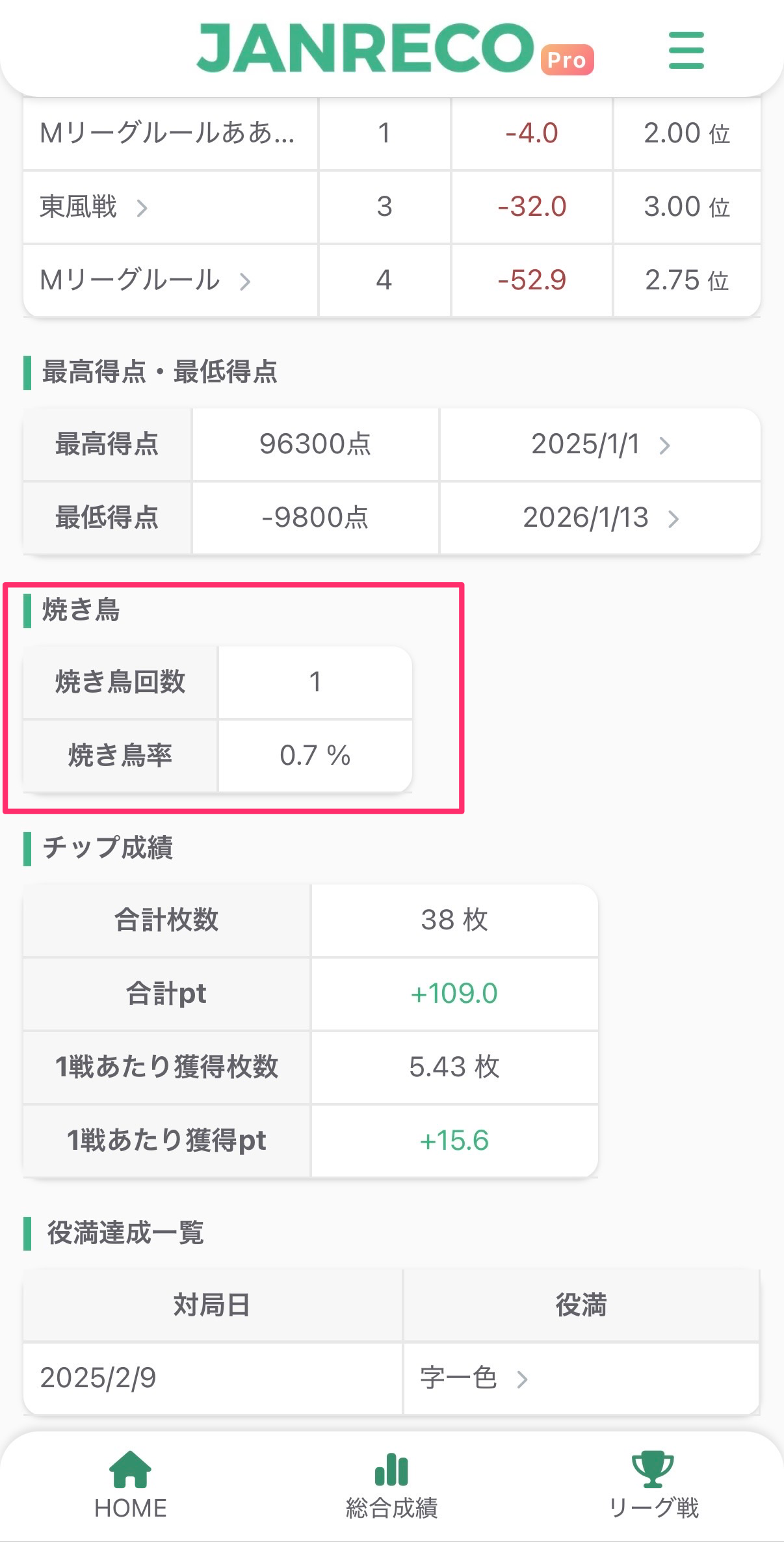
Janreco automatically includes these records in your stats, so you can check your Yakitori count and rate anytime.
How to use it
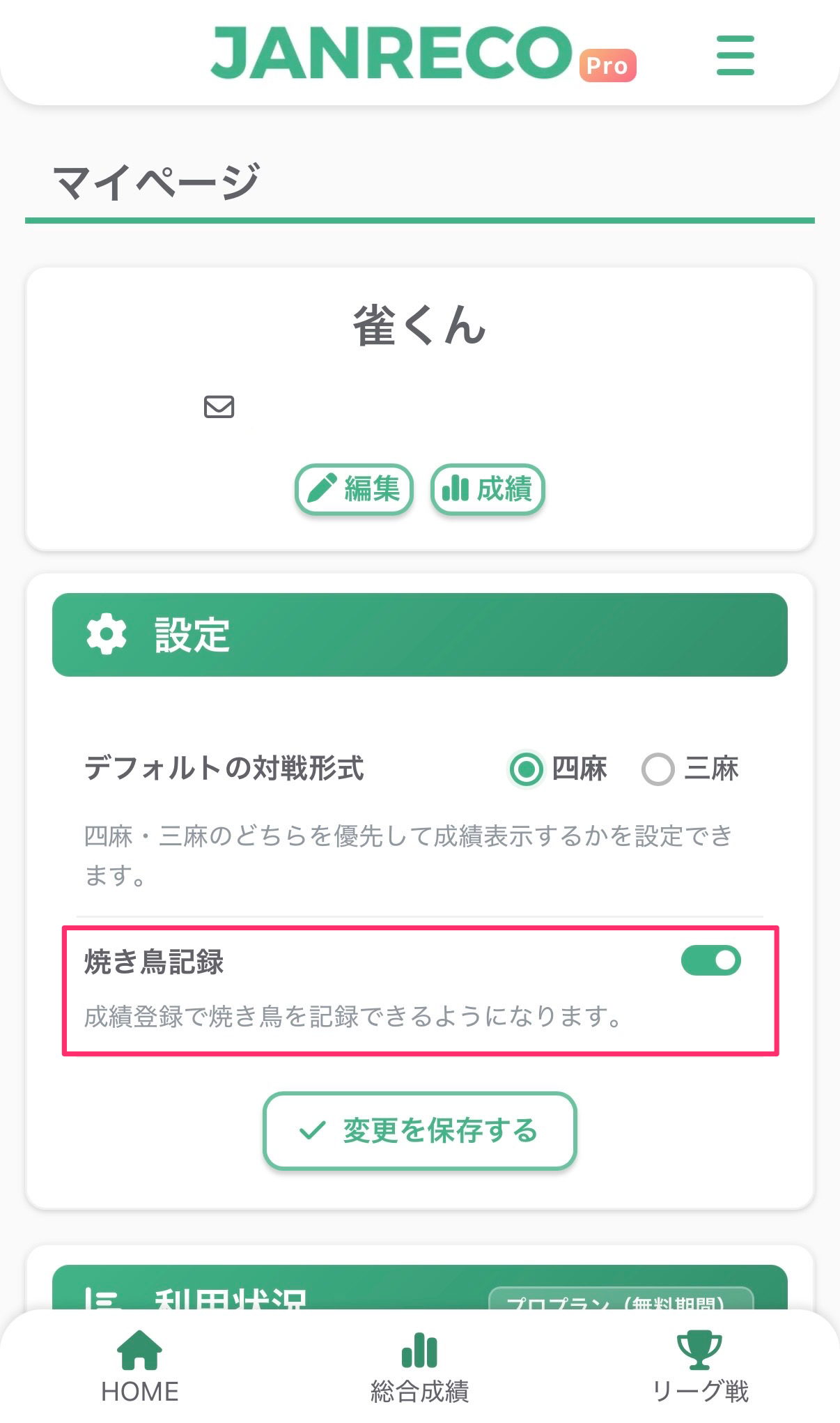
Step 1: Turn on the setting
- Open the “Settings” tab on your profile page.
- Turn on “Yakitori records.”
Step 2: Record Yakitori in game results
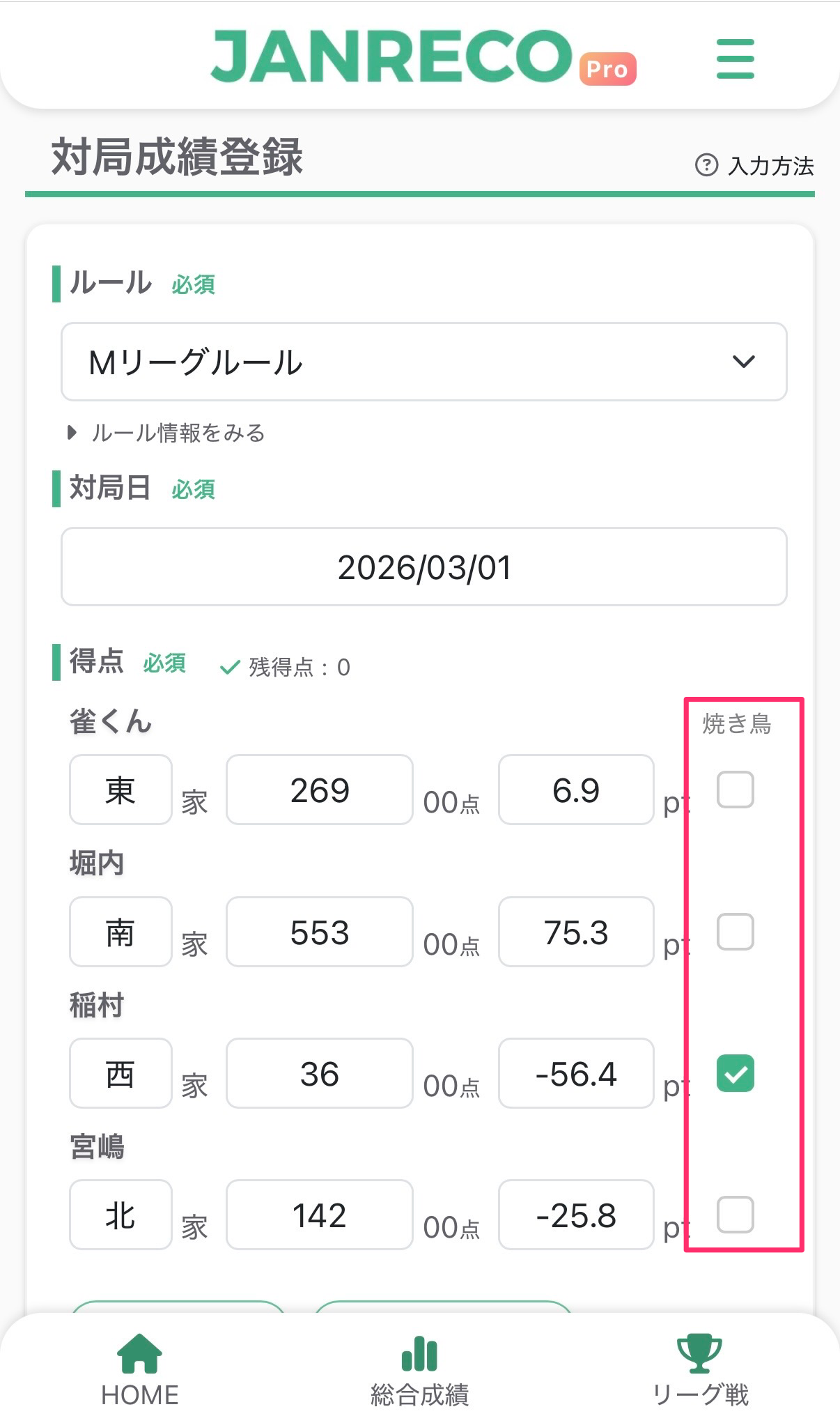
- Open the game entry screen. A Yakitori checkbox appears beside each player.
- Check the players who had Yakitori and save the results.
Step 3: View game results
Players with Yakitori have a 🕊 icon in the game list and game details.

Step 4: View stats
Find the Yakitori count and rate in the “Yakitori” section of overall stats.
Availability
- Recording Yakitori is available to Pro plan subscribers only.
- Free plan users cannot record Yakitori or view its stats.
Contact us
If you have any questions, please contact us below.
👉 Contact form
Thank you for using Janreco.