Other
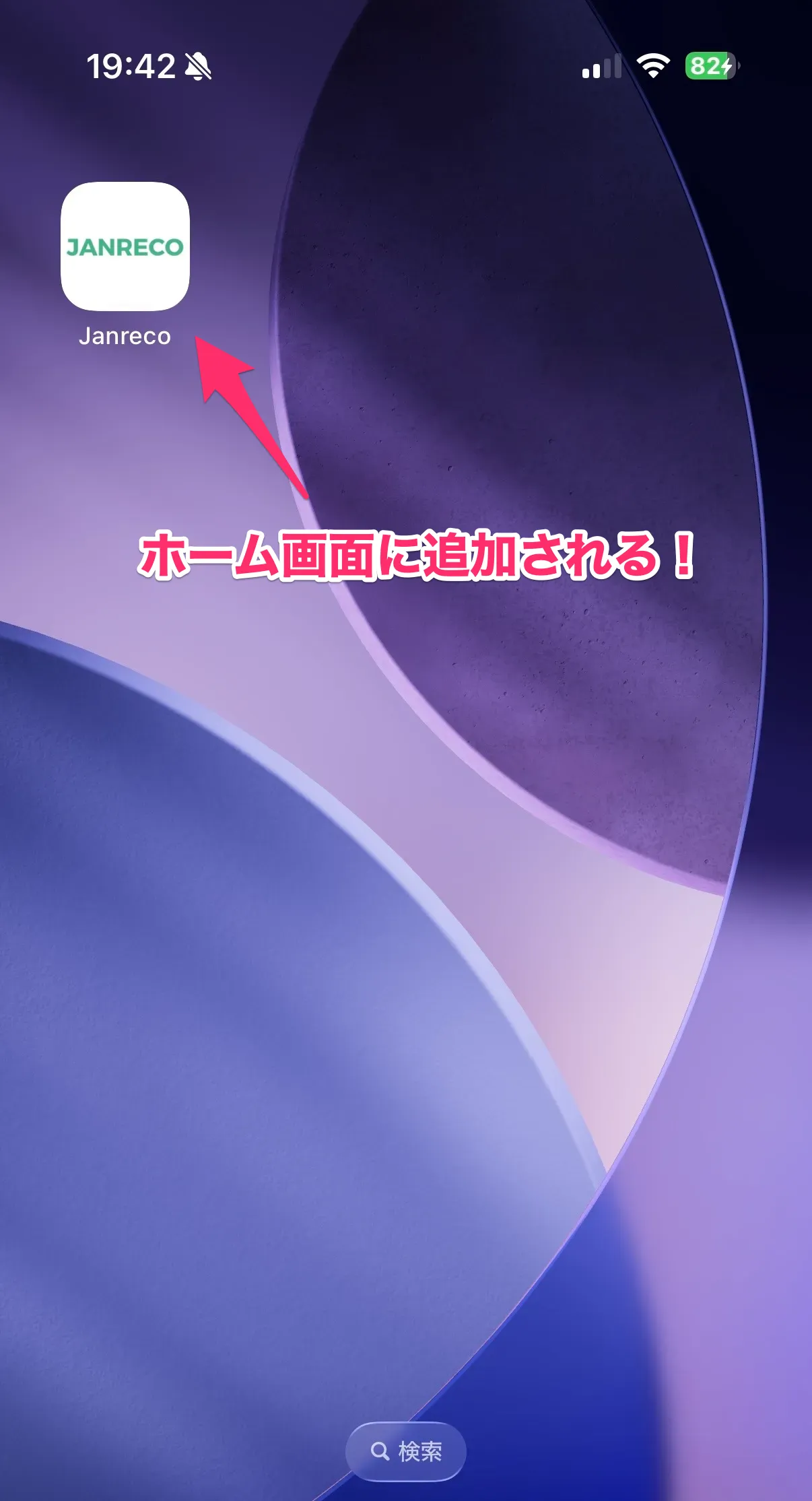
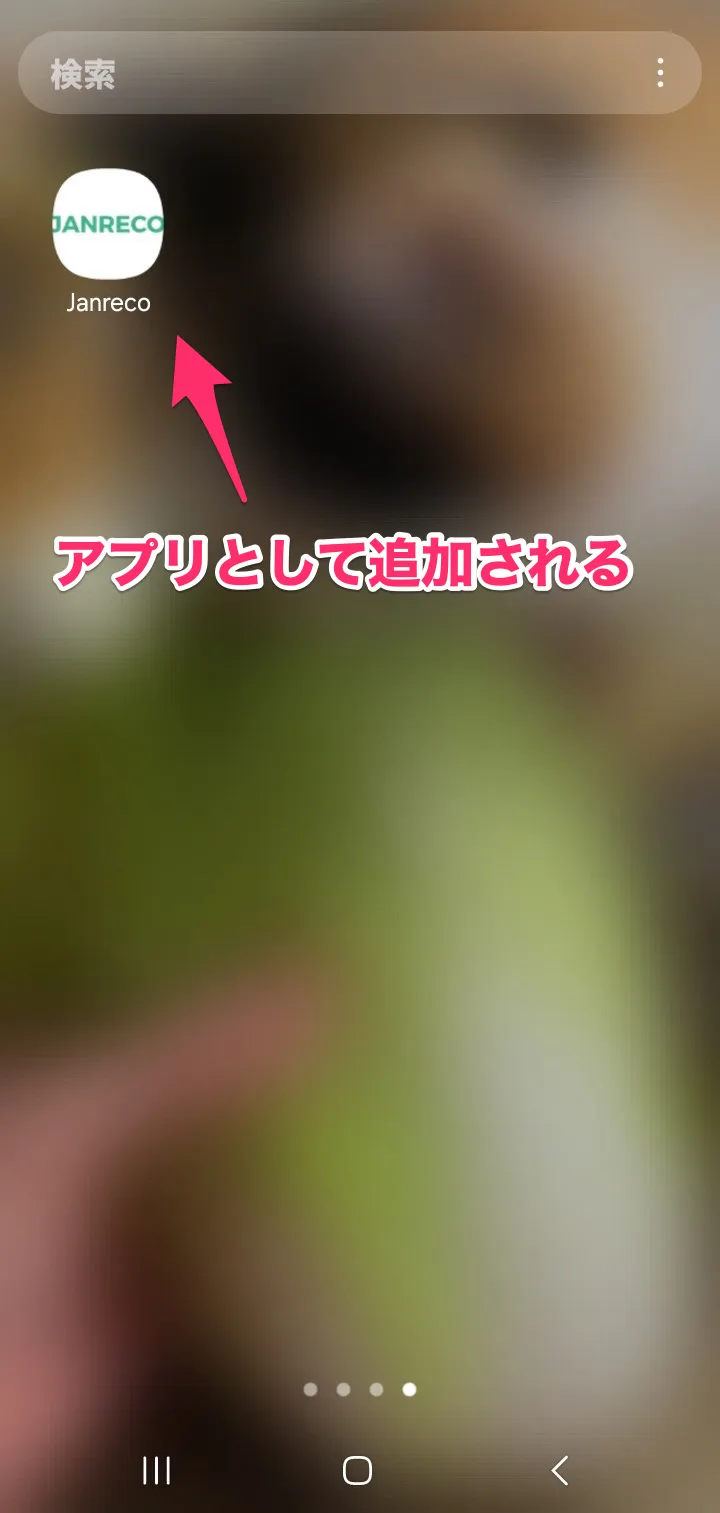
Handy tip: Add Janreco to your home screen and use it like an app!
Thank you for using Janreco.
Here's how to use Janreco like an app!
Why add it to your home screen?
✅ Open it with one tap instead of opening your browser each time
✅ Use it like an app
✅ Enjoy more screen space without the address bar
Follow the steps below to set it up.
📱 Setup steps (add to home screen)
For iPhone (iOS)
Please use Safari.
- Open the Janreco home page in Safari
- Tap the Share icon at the bottom
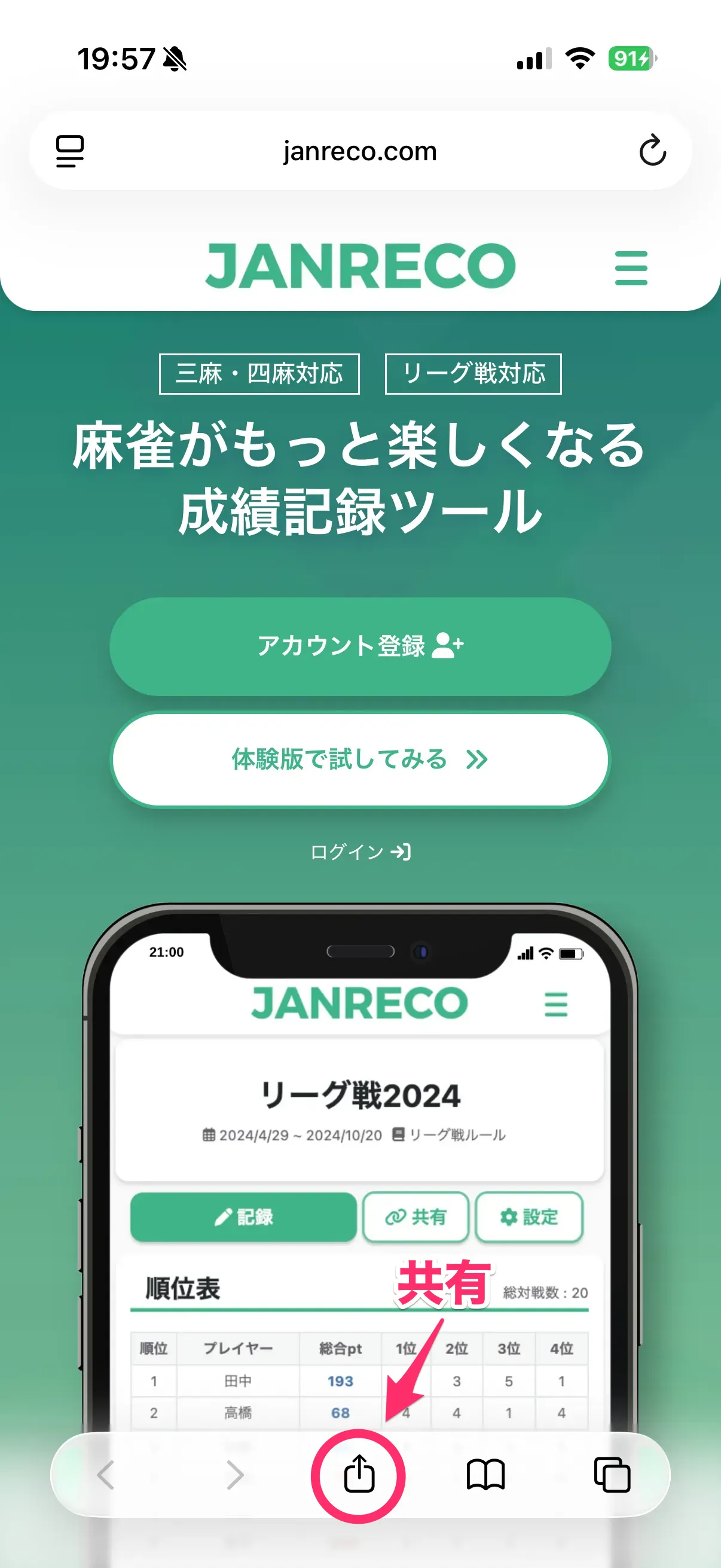
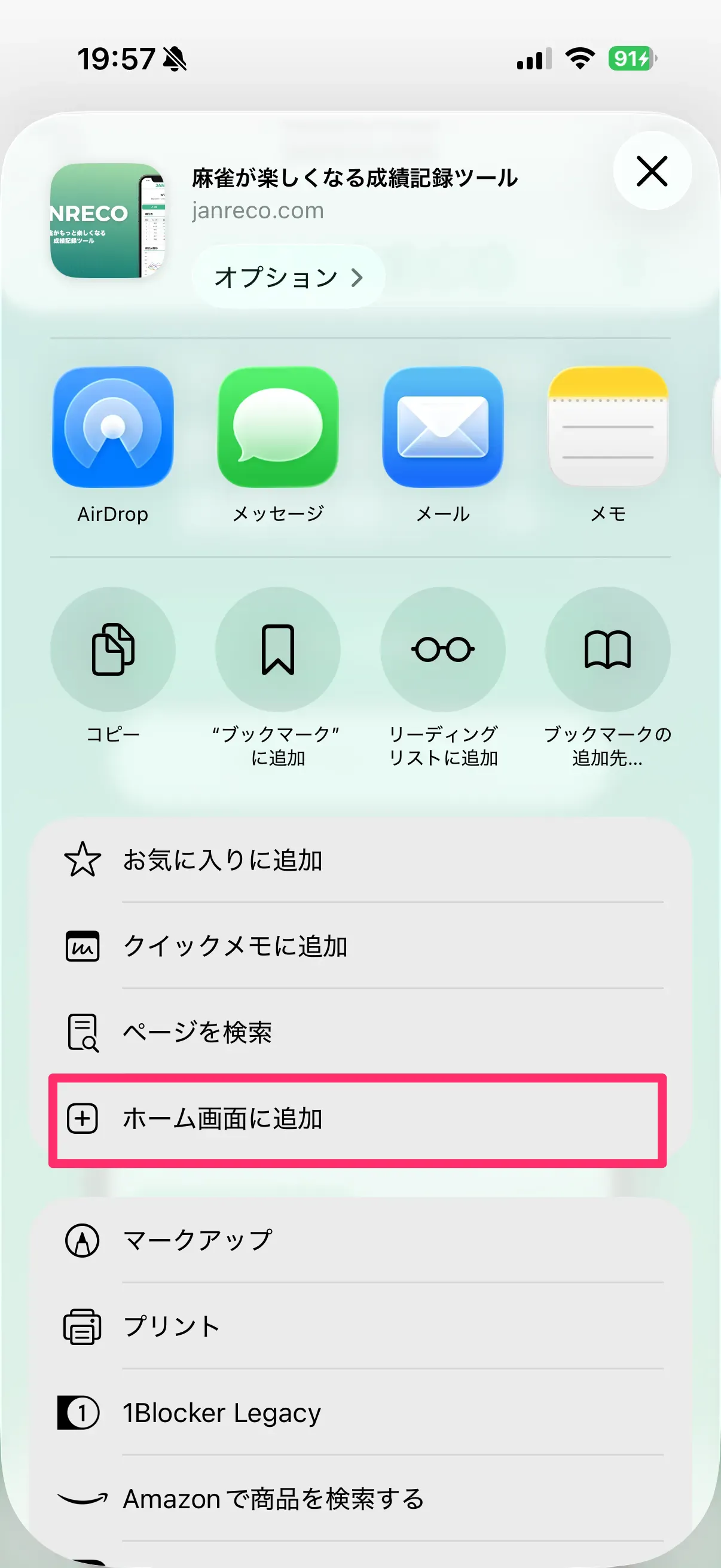
- Tap “Add to Home Screen”
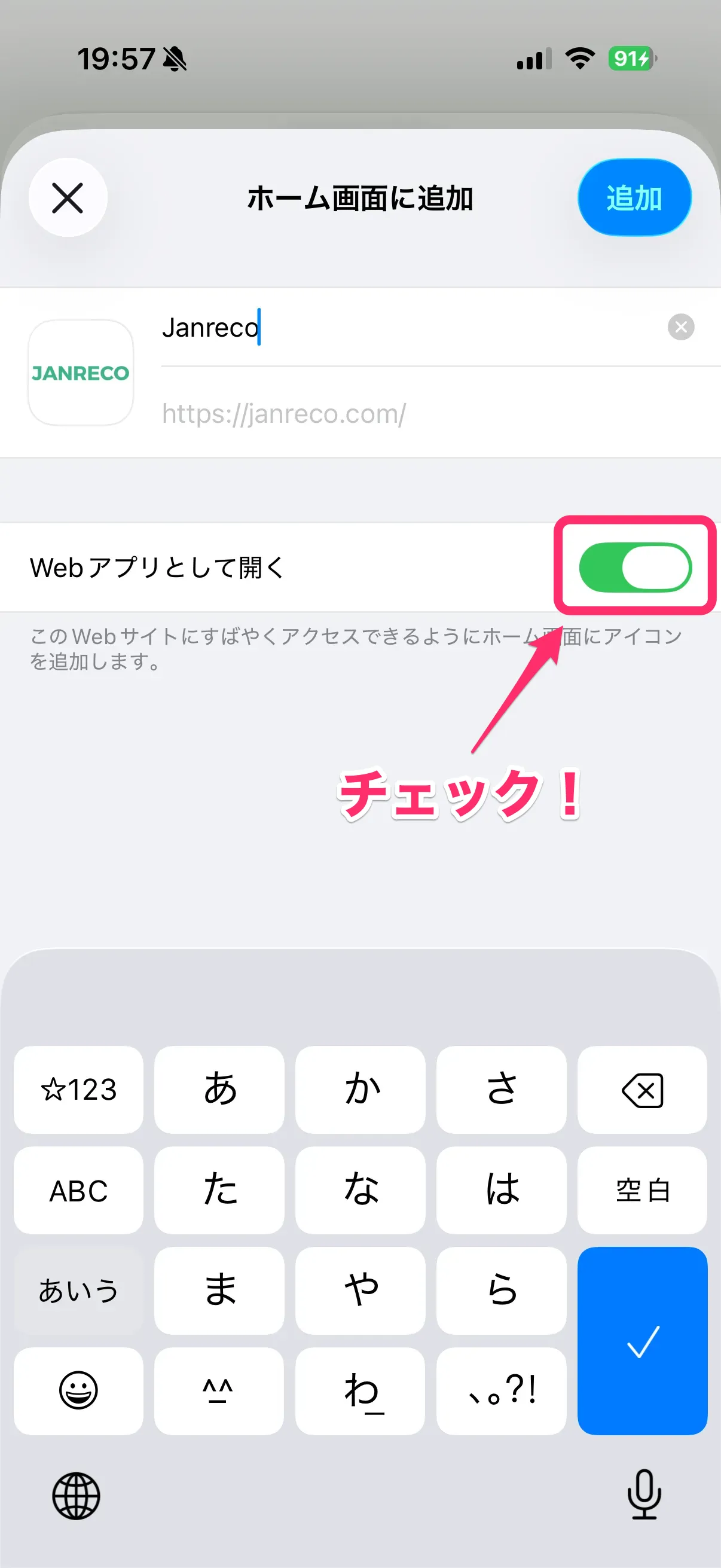
- Tap “Add” in the upper right to finish!
Be sure to select “Open as Web App.”
For Android
We recommend Chrome.
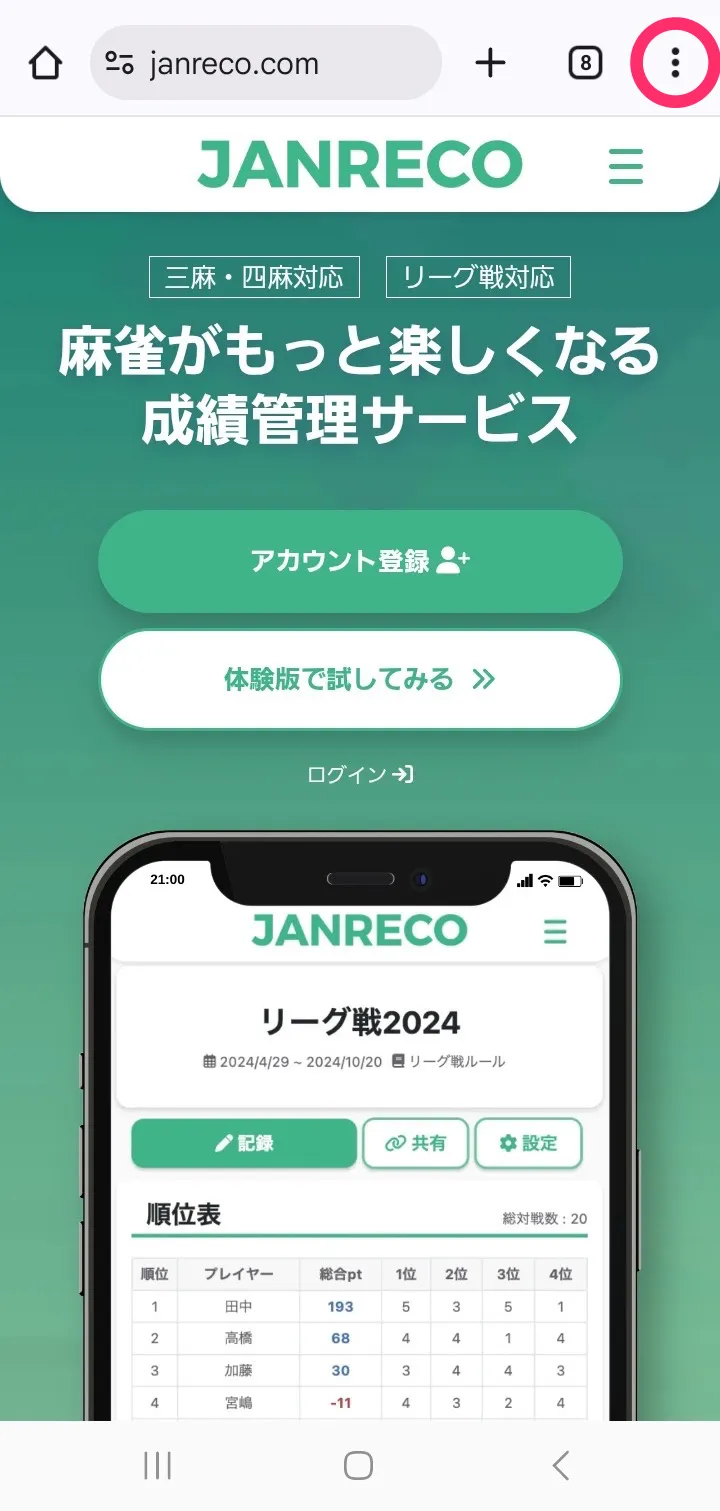
- Open the Janreco home page in Chrome
- Tap the “︙” menu in the upper right
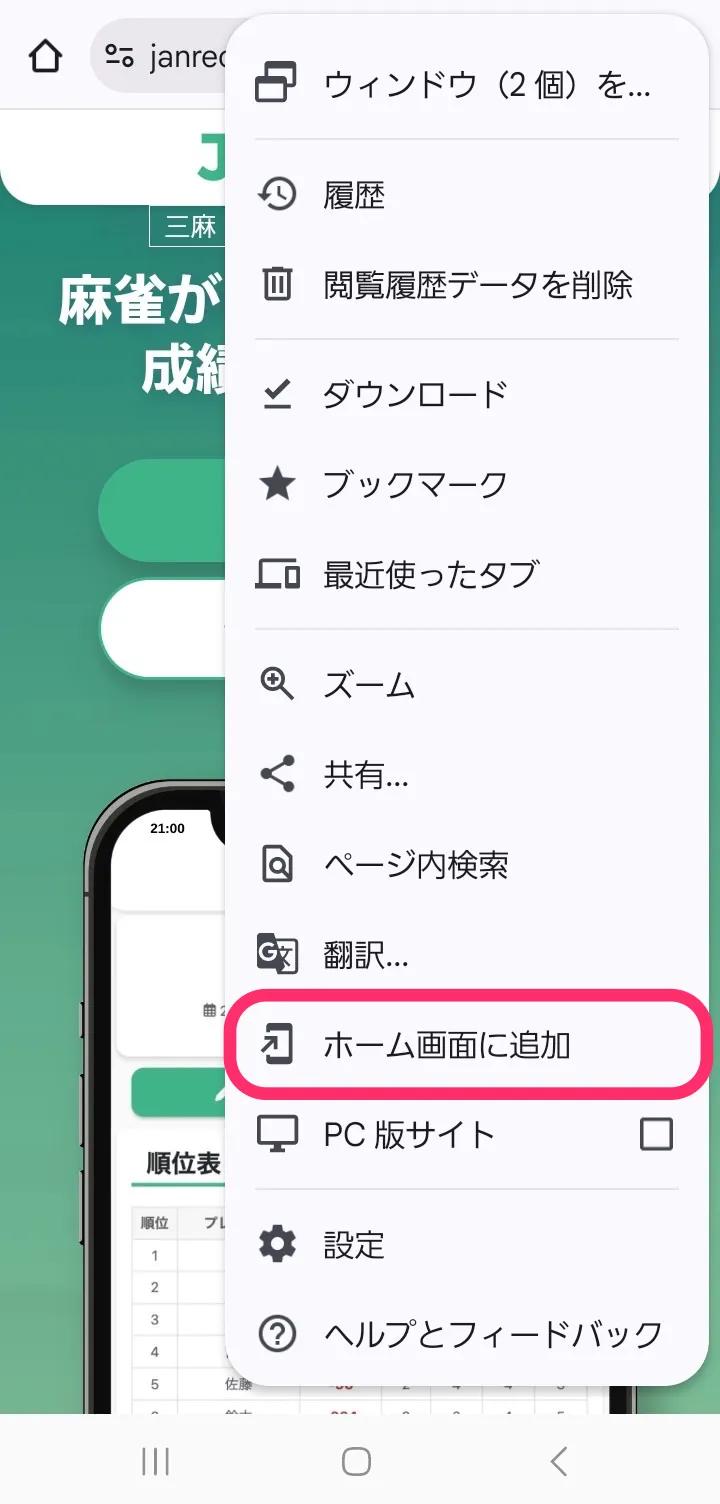
- Choose “Install app” or “Add to Home screen”
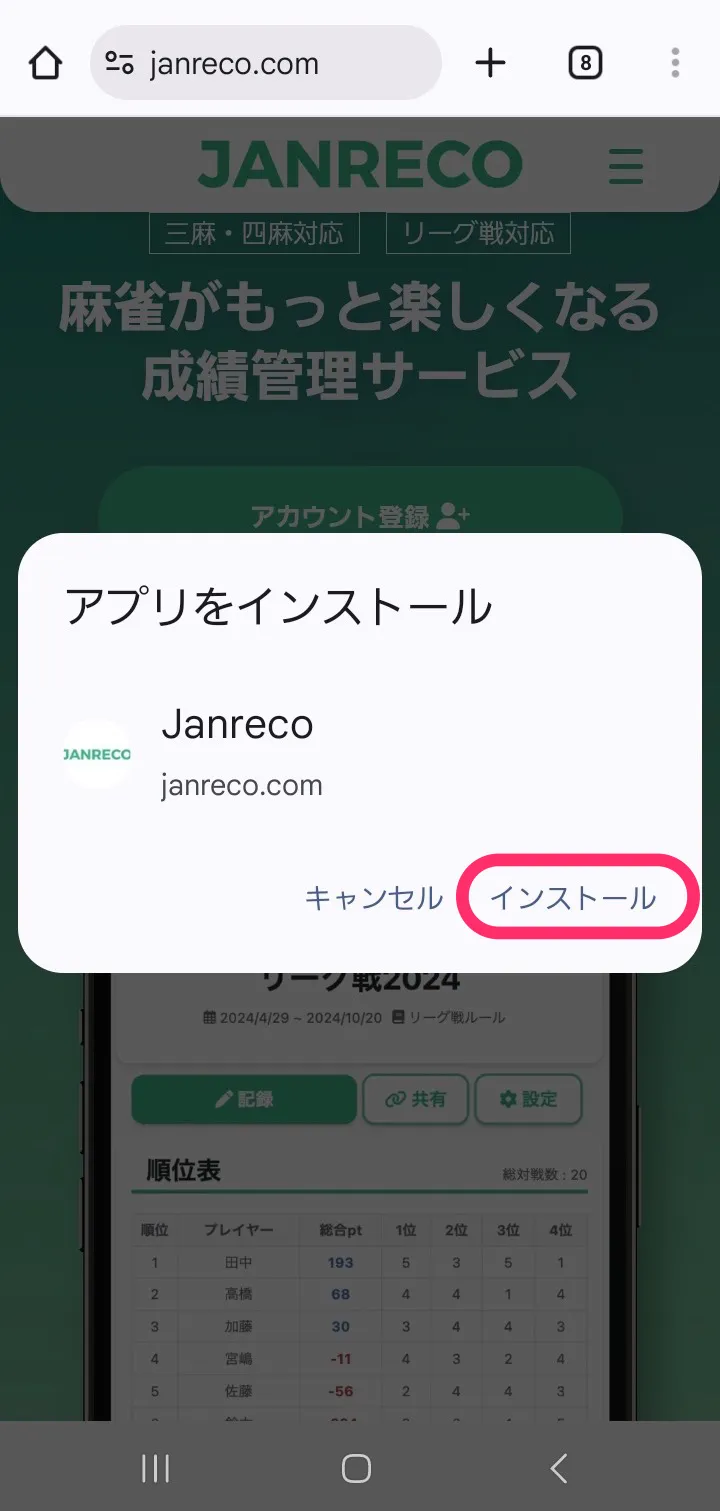
- Tap “Add” or “Install” on the confirmation screen
Contact us
If you have any questions about setup, please contact us.
Thank you for using Janreco.