Update
You can now record Yakuman
Thank you for using Janreco.
We have released the Yakuman checker, a new feature for recording Yakuman when you enter game results.
What is the Yakuman checker?
You can easily record the Yakuman each player wins while entering game results!
A free-text field also lets you record custom Yakuman.
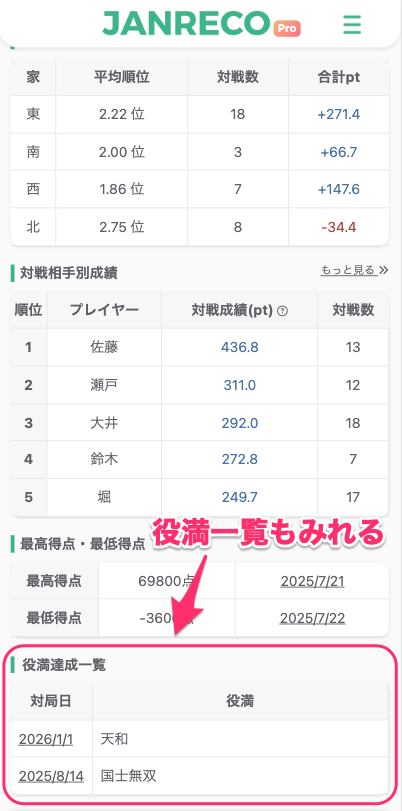
After saving, the results appear automatically in the “Yakuman achievements” list on your overall stats page, so you can review them anytime.
How to use it
- Open the Yakuman checker on the game entry screen.
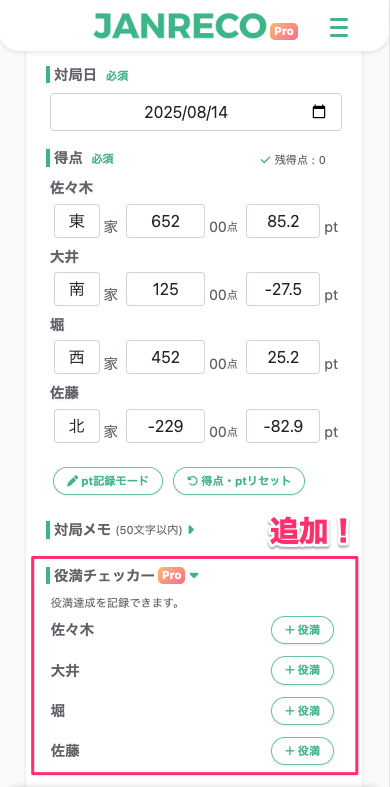
- Press “+ Yakuman” on the row of the player whose Yakuman you want to record.
- Select one or more Yakuman and save them.
- You can also enter a custom name under “Other Yakuman.”
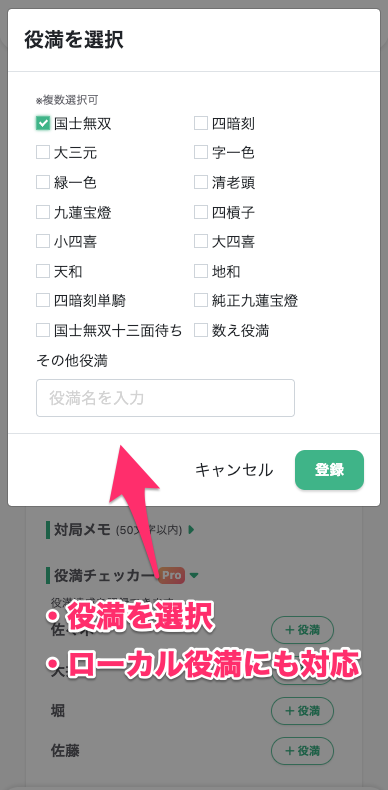
- You can also enter a custom name under “Other Yakuman.”
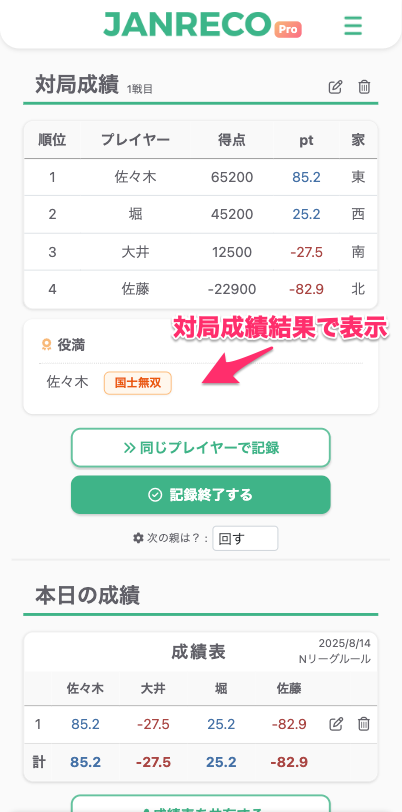
- The Yakuman results also appear with the game results.
- Review them in “Yakuman achievements” on the overall stats page.
Supported Yakuman
You can select common Yakuman with checkboxes (multiple selections are allowed).
- Kokushi Musou / Kokushi Musou 13-sided wait
- Chuuren Poutou / Pure Chuuren Poutou
- Suuankou / Suuankou tanki
- Daisangen / Tsuuiisou / Ryuuiisou / Chinroutou
- Suukantsu / Shousuushii / Daisuushii
- Tenhou / Chiihou
- Kazoe Yakuman
- Other Yakuman (free text, up to 30 characters)
Availability
- Recording Yakuman is available to Pro plan subscribers only.
- Free plan users cannot record Yakuman, but can view the Yakuman achievements list.
Contact us
If you have any questions, please contact us below.
👉 Contact form
Thank you for using Janreco.