Daily league stats are now available!
Thank you for using Janreco.
We have added a Daily stats page for leagues!
What are Daily stats?
This new feature lets you review league game results one day at a time!
The page brings together that day's standings and point progression. See who came out on top and how rankings changed over the games, then share the day's highlights.
How to use it
Step 1: Open Daily stats
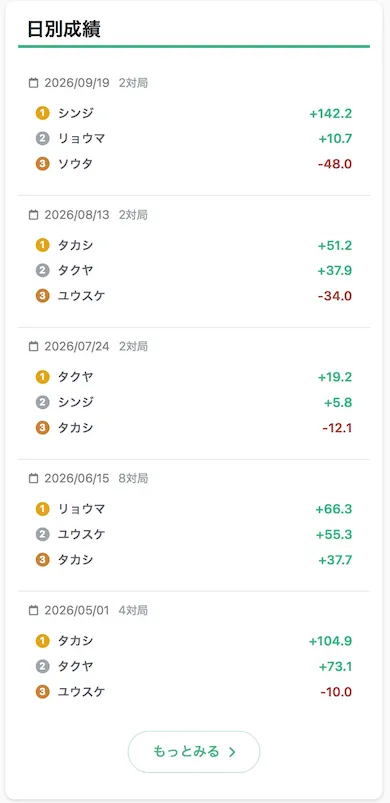
The Daily stats section on the league details page shows a summary of recent game days. Select “See more” to open the full list.
Step 2: Choose a date
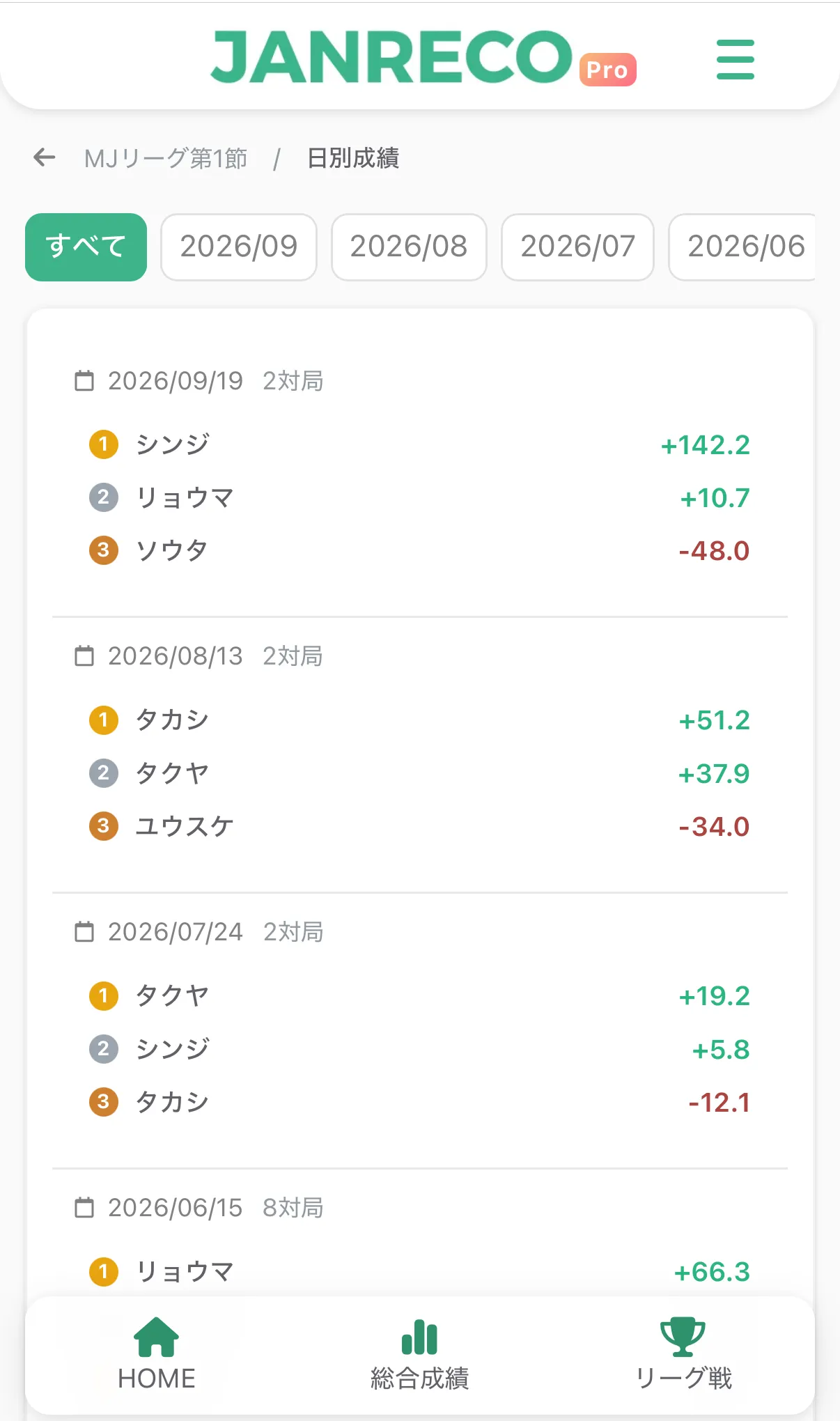
Filter the list by month to see each game day's summary, including the leaders and number of games. Tap a date to open its details.
Step 3: See the highlights
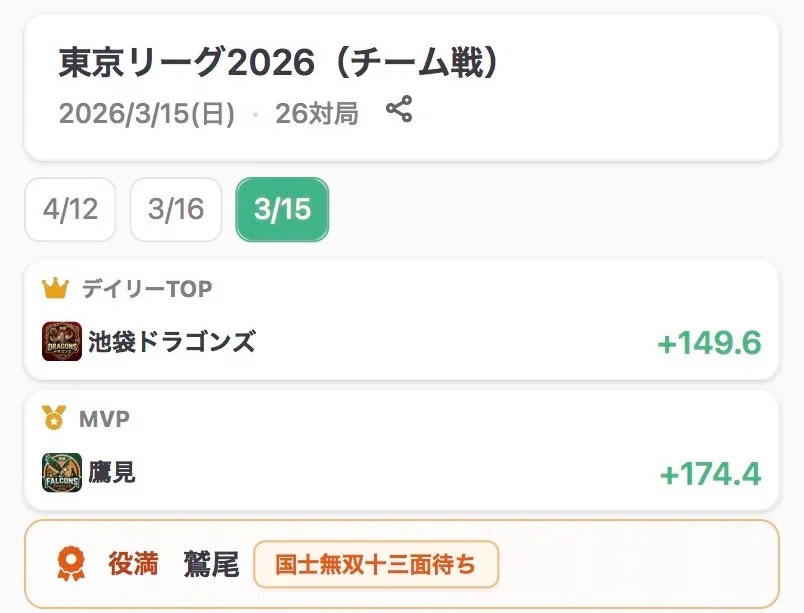
In team leagues, the winning team appears as “Daily TOP” and the leading individual as “MVP.” Any Yakuman achieved that day are shown, too.
Step 4: Review standings and point progression
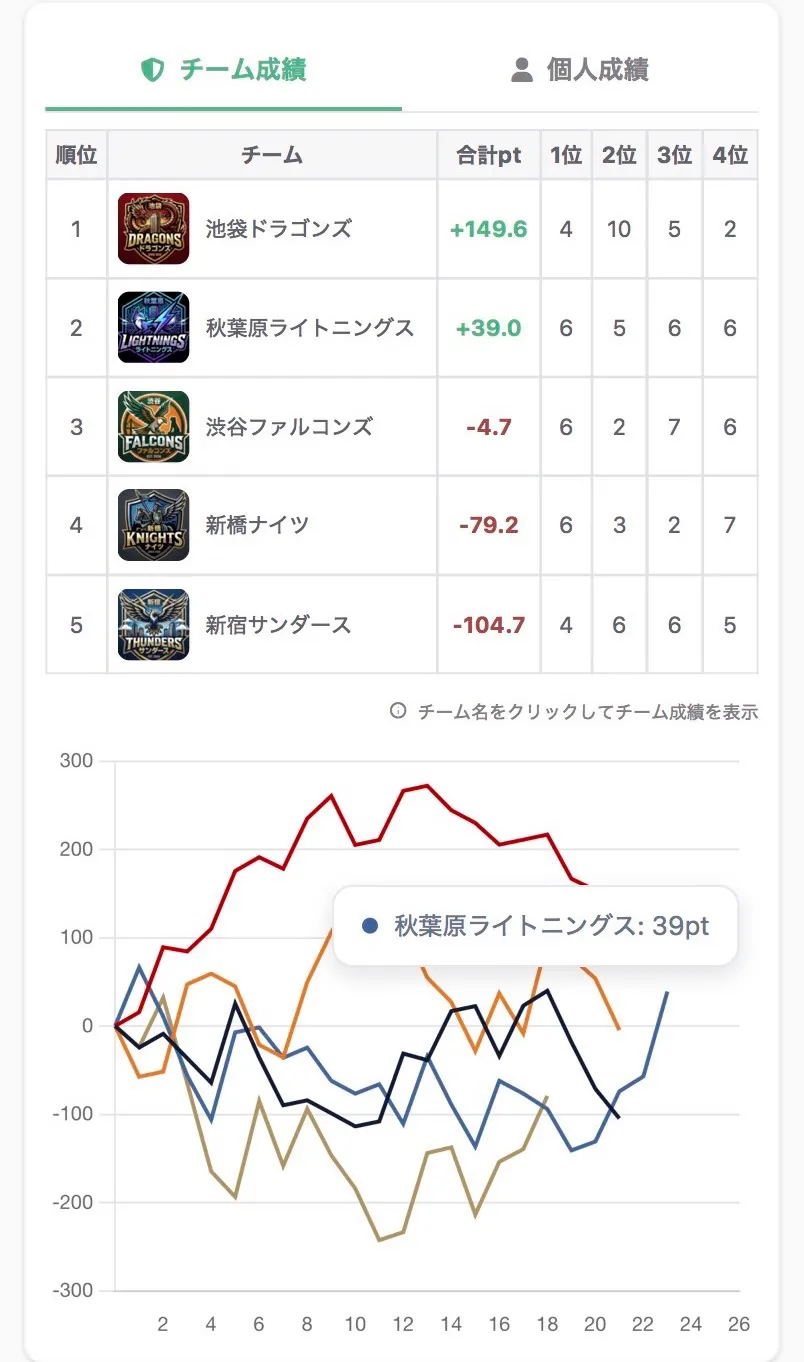
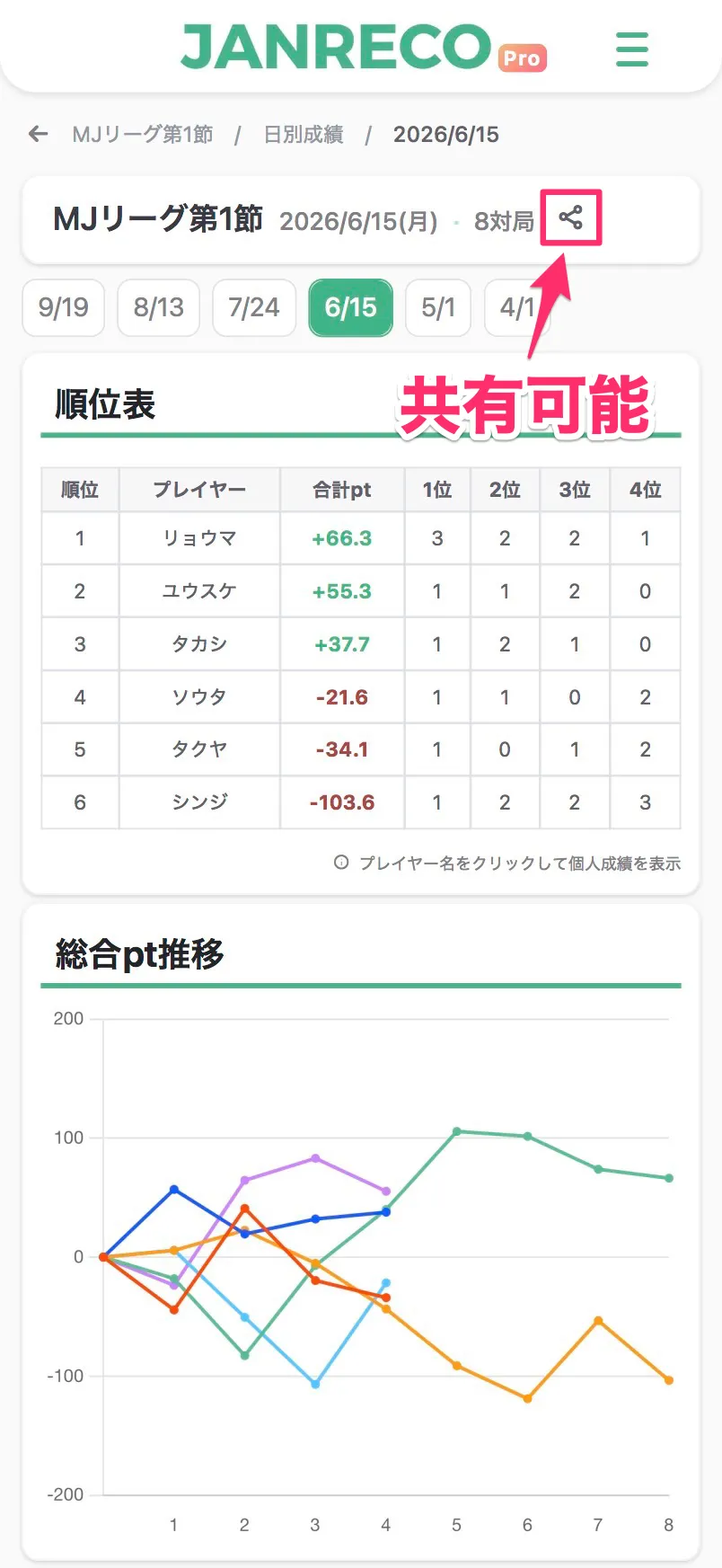
Check the day's standings (total pt and placement counts) and a chart of points after each game. In team leagues, switch between the “Team stats” and “Individual stats” tabs.
Step 5: View games and share
Browse all games from the day in one list. The Share button lets others view the day's results live without signing in.
Availability
- Daily stats are a Pro plan feature.
- You can view them when the league organizer has Pro or you have Pro.
- Both individual and team leagues are supported.

Contact us
If you have any questions, please contact us below.
👉 Contact form
Thank you for using Janreco.