Set initial points and penalties in leagues
Thank you for using Janreco.
We have released two new league features: Initial points and Point adjustments (penalties)!
1. Initial points
Set the starting points for each participant or team before a league begins!
You can choose a starting point for the league, such as points carried over from a previous season or a handicap. The values appear in league stats, individual stats, and point progression charts.
How to use it
Step 1: Open the settings
Select “Set” in the “Initial points” section when editing a league.
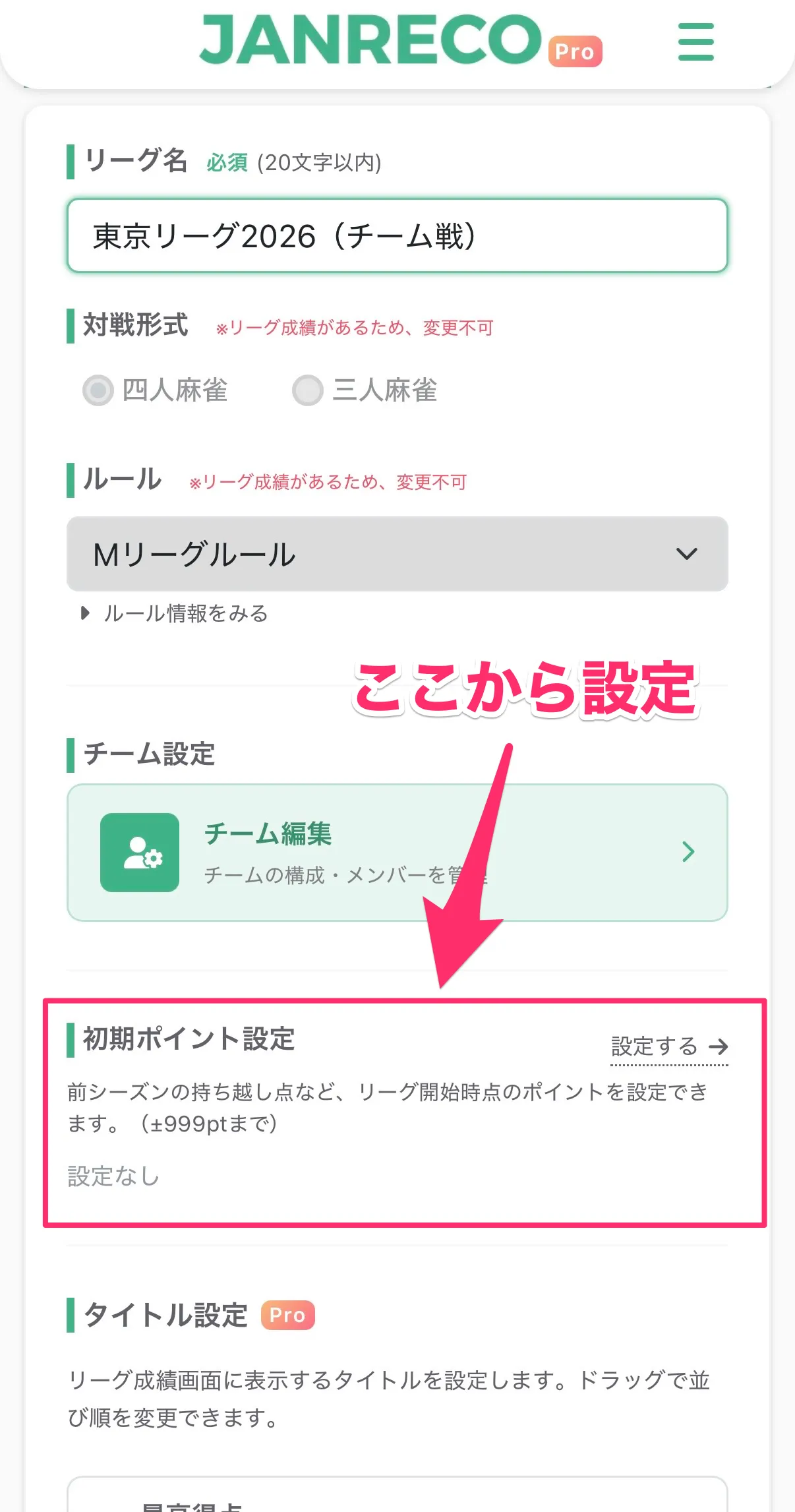
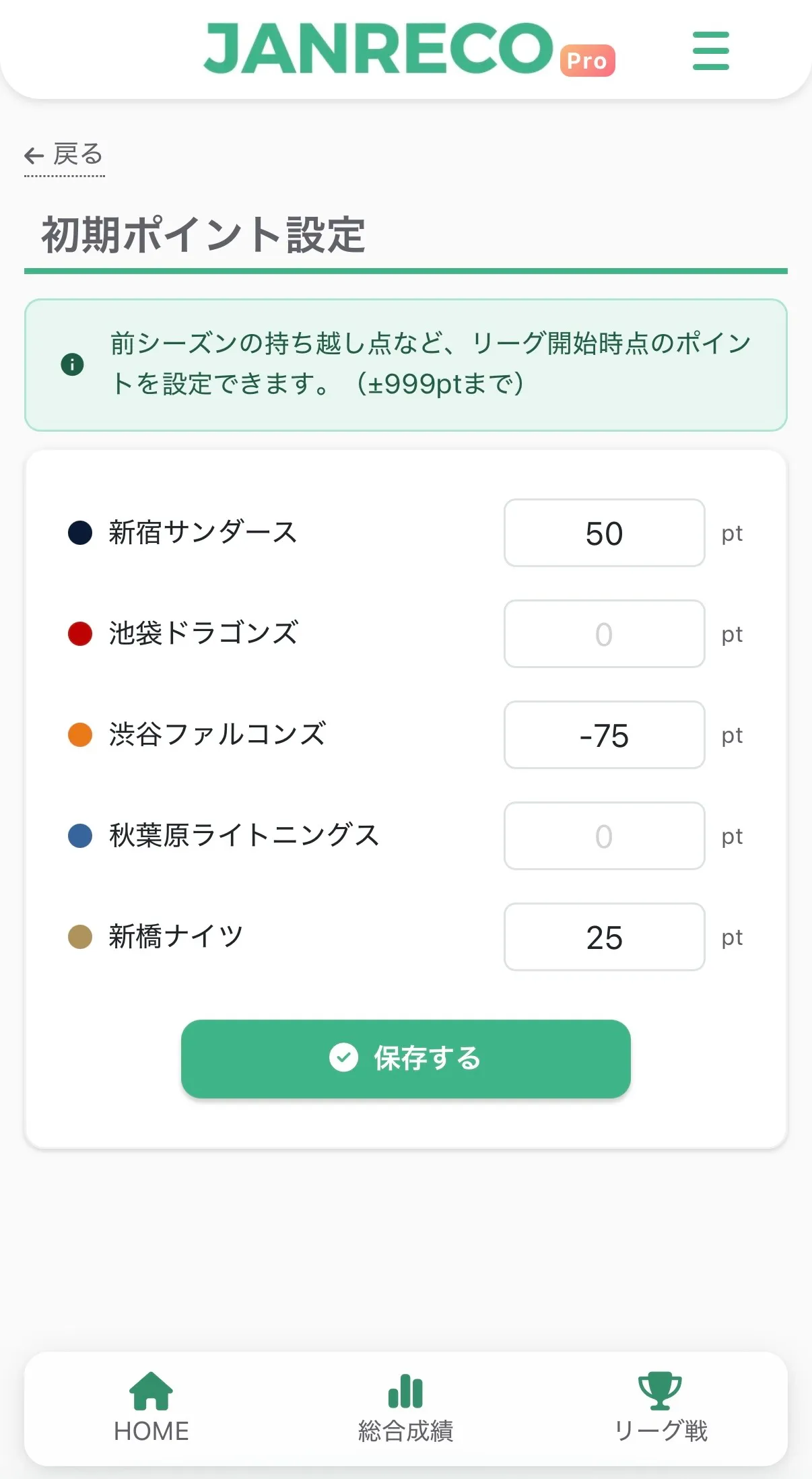
Step 2: Enter points for each participant or team
A list of participants or teams appears. Enter points for the relevant player (or team, in a team league).
- Range: ±999 pt
- Decimal values are allowed when the rule uses decimals
- Saving 0 or a blank field removes the initial points
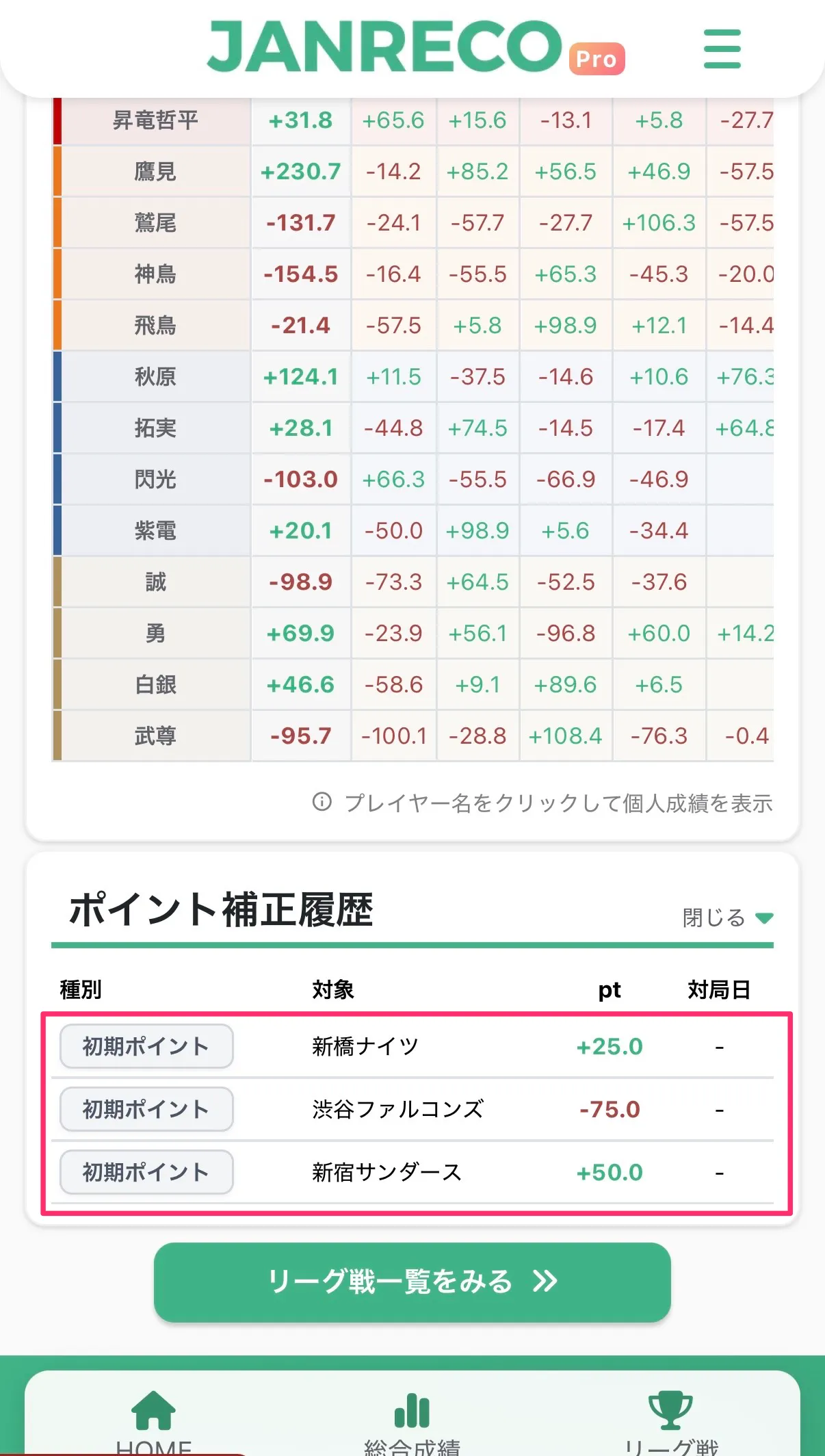
Step 3: Check the results
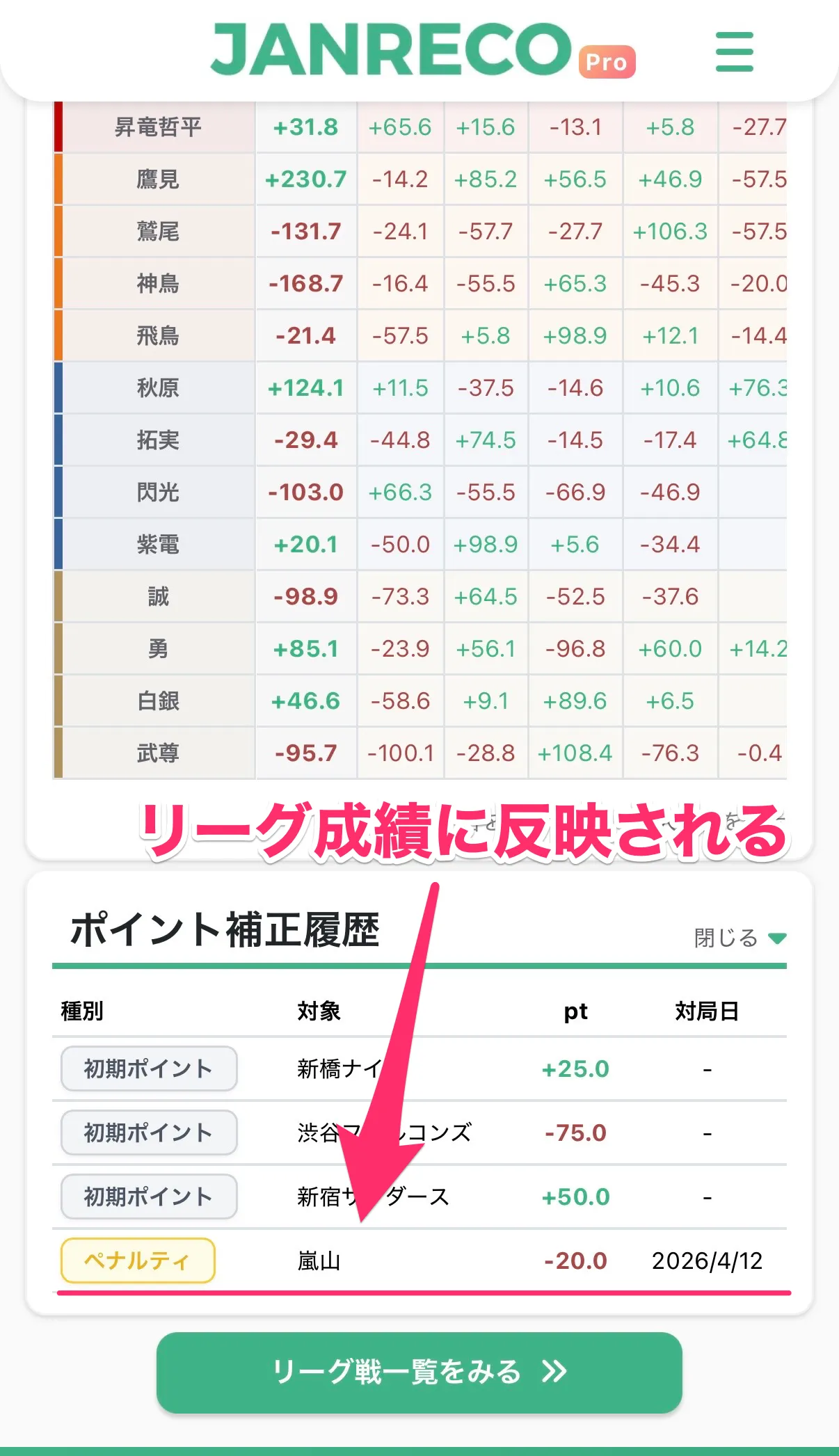
Your settings are recorded in the “Point adjustment history” section on the league details page. They also become the starting values on individual stats pages and point progression charts.
2. Point adjustments (penalties)
Record penalties such as chombo deductions for individual league games!
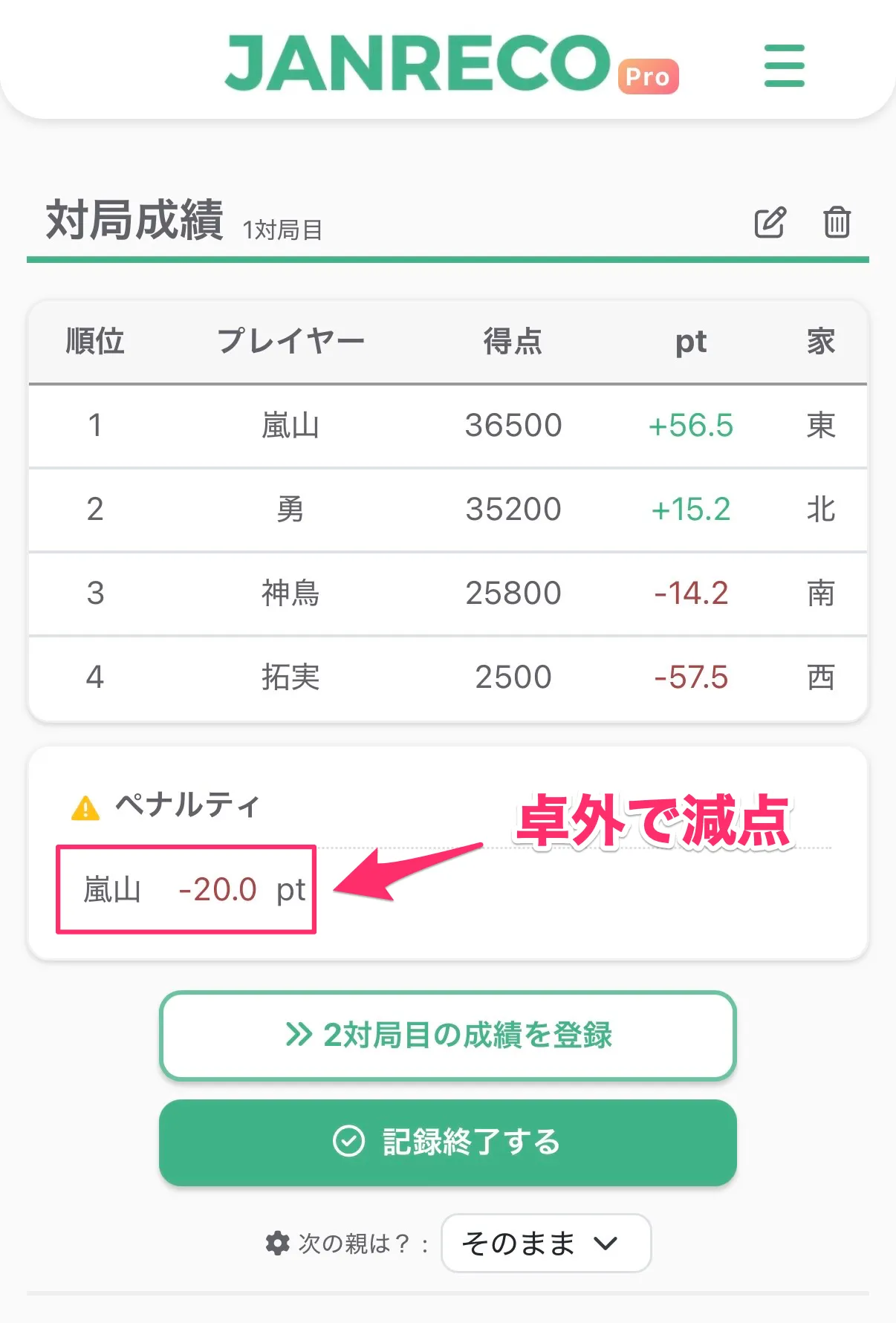
Enter adjustments when recording or editing a league game. They are included in league results automatically and appear in game details and score sheets, so you can see who received a penalty and when.
How to use it
Step 1: Open the “Penalty” section
Expand “Penalty” near the bottom of the league game entry or edit screen.
Penalties cannot be recorded for games outside a league.
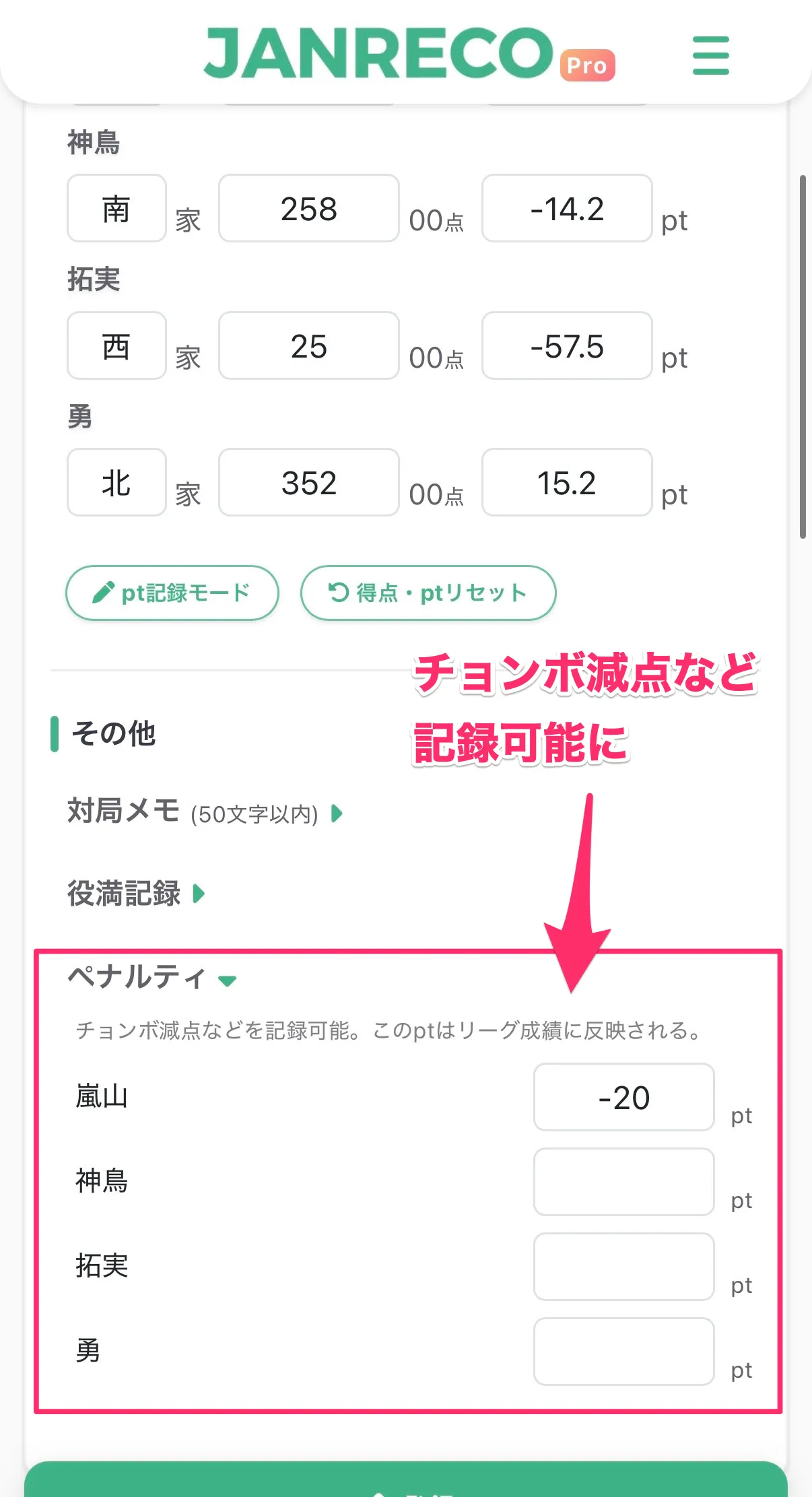
Step 2: Enter points for the player
Enter the adjustment for each relevant player.
- Range: ±999 pt
- You can adjust several players at once
Step 3: Check the results
After saving, the penalty appears in these places:
- Game details: Each player's adjustment is shown with a ⚠ icon
- Score sheet: Penalties appear for each game
- League details: Listed under “Point adjustment history”
- Individual stats and league standings: Penalties are included in total points
Point adjustment history
The league details page now has a “Point adjustment history” section. It lists initial points and all penalties; tap a penalty entry to open the corresponding game details.
Availability
- Available to all users
Contact us
If you have any questions, please contact us below.
👉 Contact form
Thank you for using Janreco.