Team leagues are now available!
Thank you for using Janreco.
We have released the long-awaited Team league feature!
What is a Team league?
Enjoy league play as a team!
Divide players into teams as in M.LEAGUE. Janreco automatically totals and analyzes each team's results, adding strategy and excitement beyond an individual league.
Set each team's name, color, and logo to give the whole league a consistent look.
How to use it
Step 1: Create a Team league
Select “Team” when creating a league.
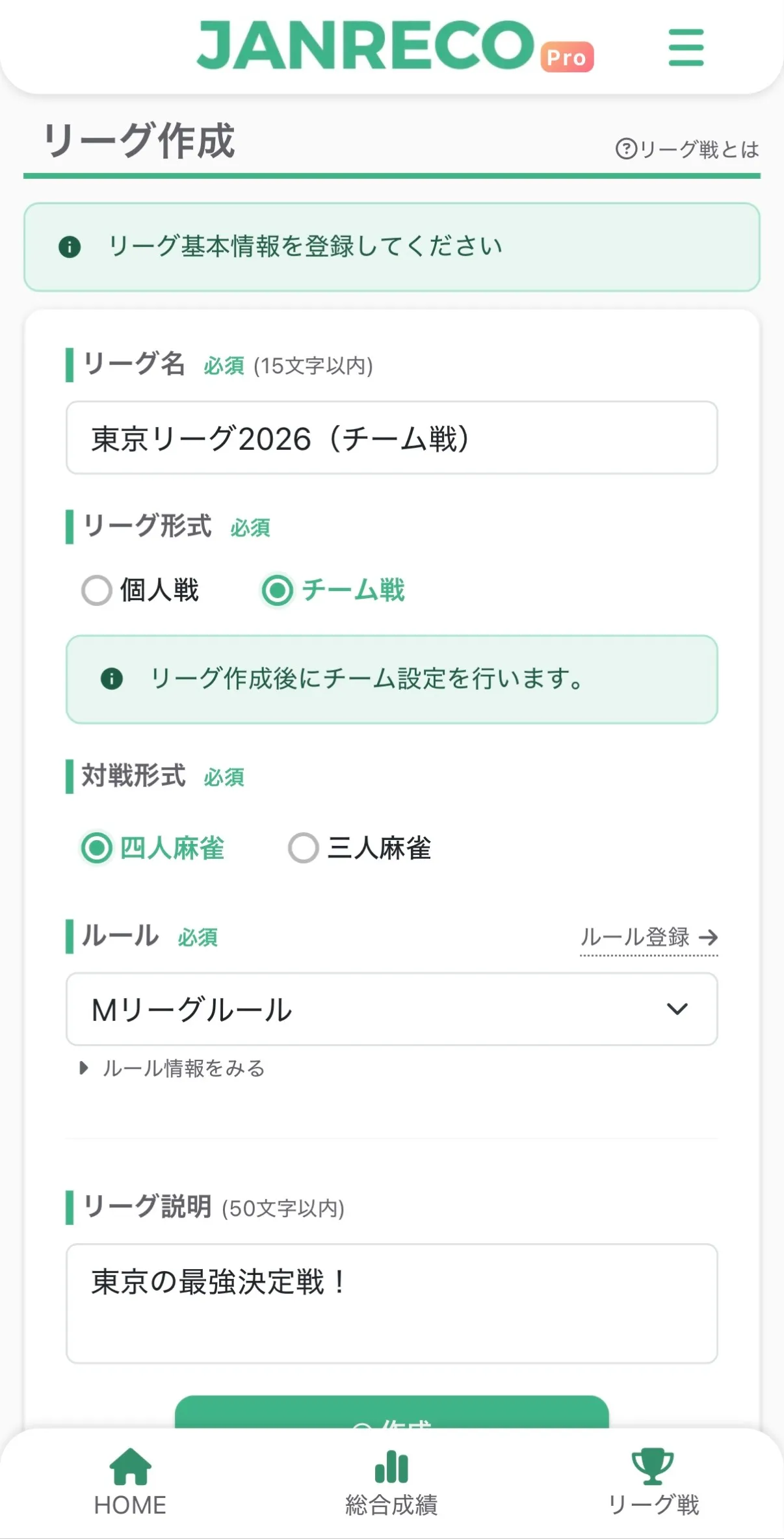
Step 2: Enter team details
Set each team's name, color, logo, and description.
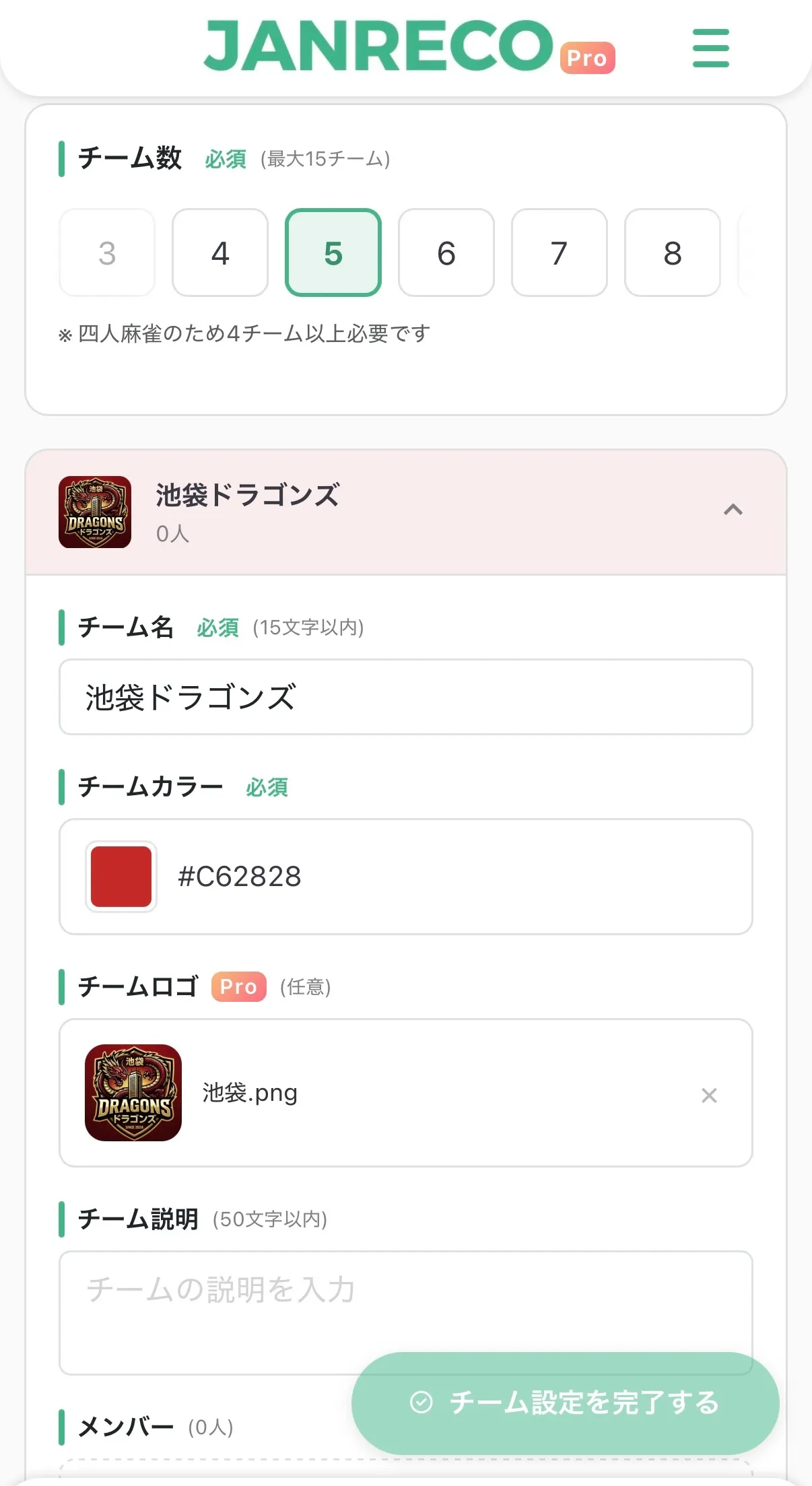
Step 3: Add members
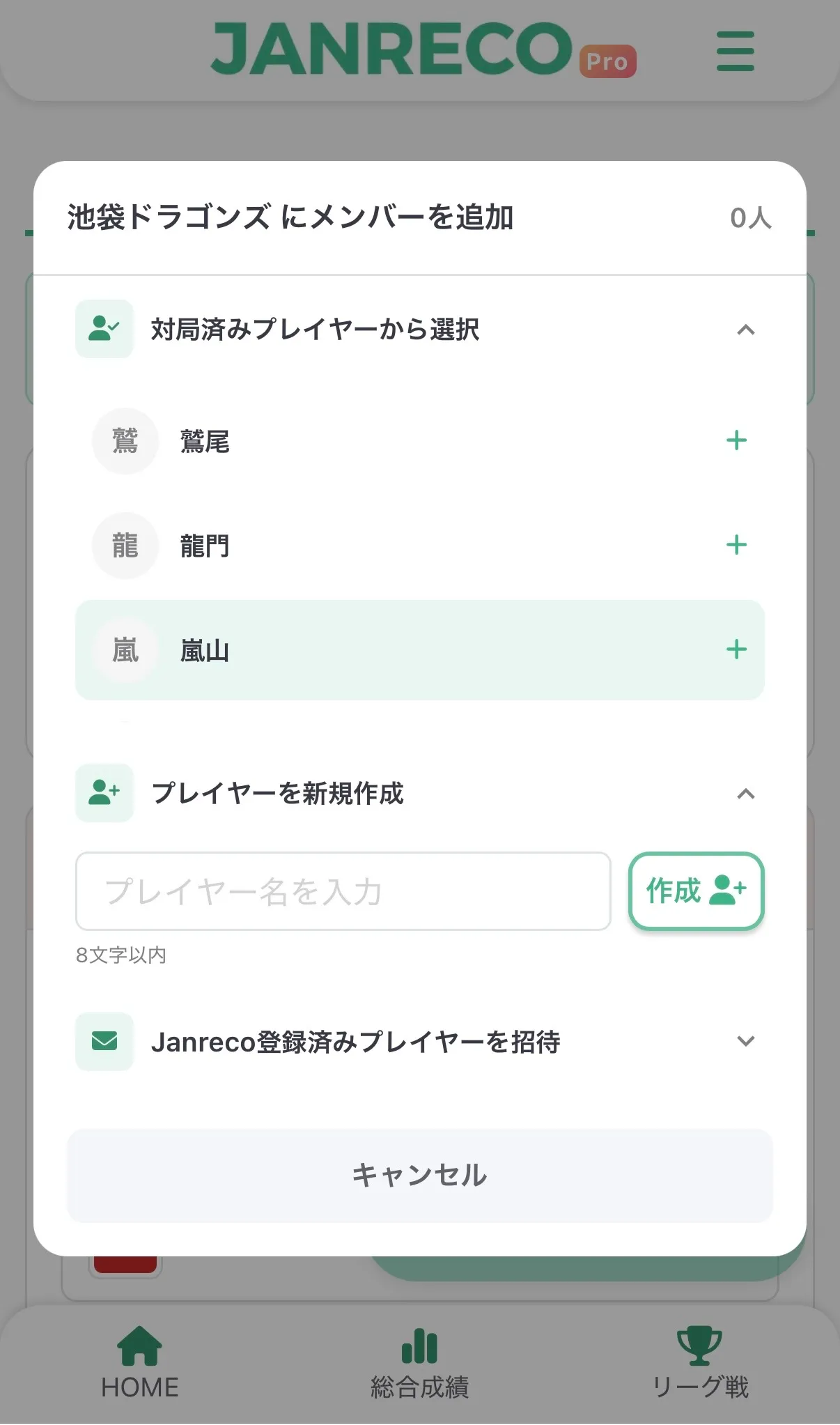
You can add members in three ways:
1. Add players you have played with before
2. Create new players
3. Add players already registered with Janreco
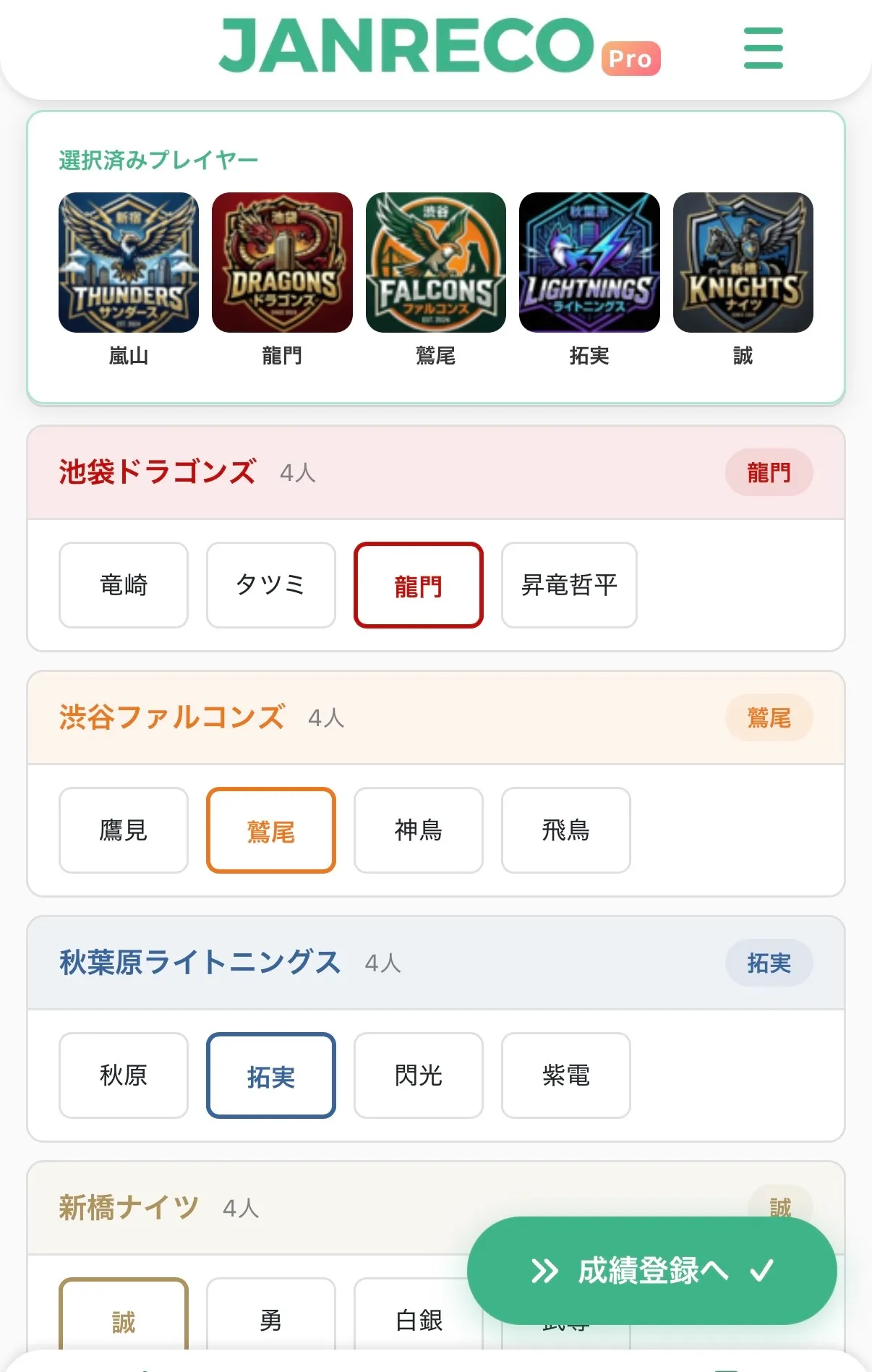
Step 4: Record games
Record games as usual. On the player selection screen, choose participants from each team.
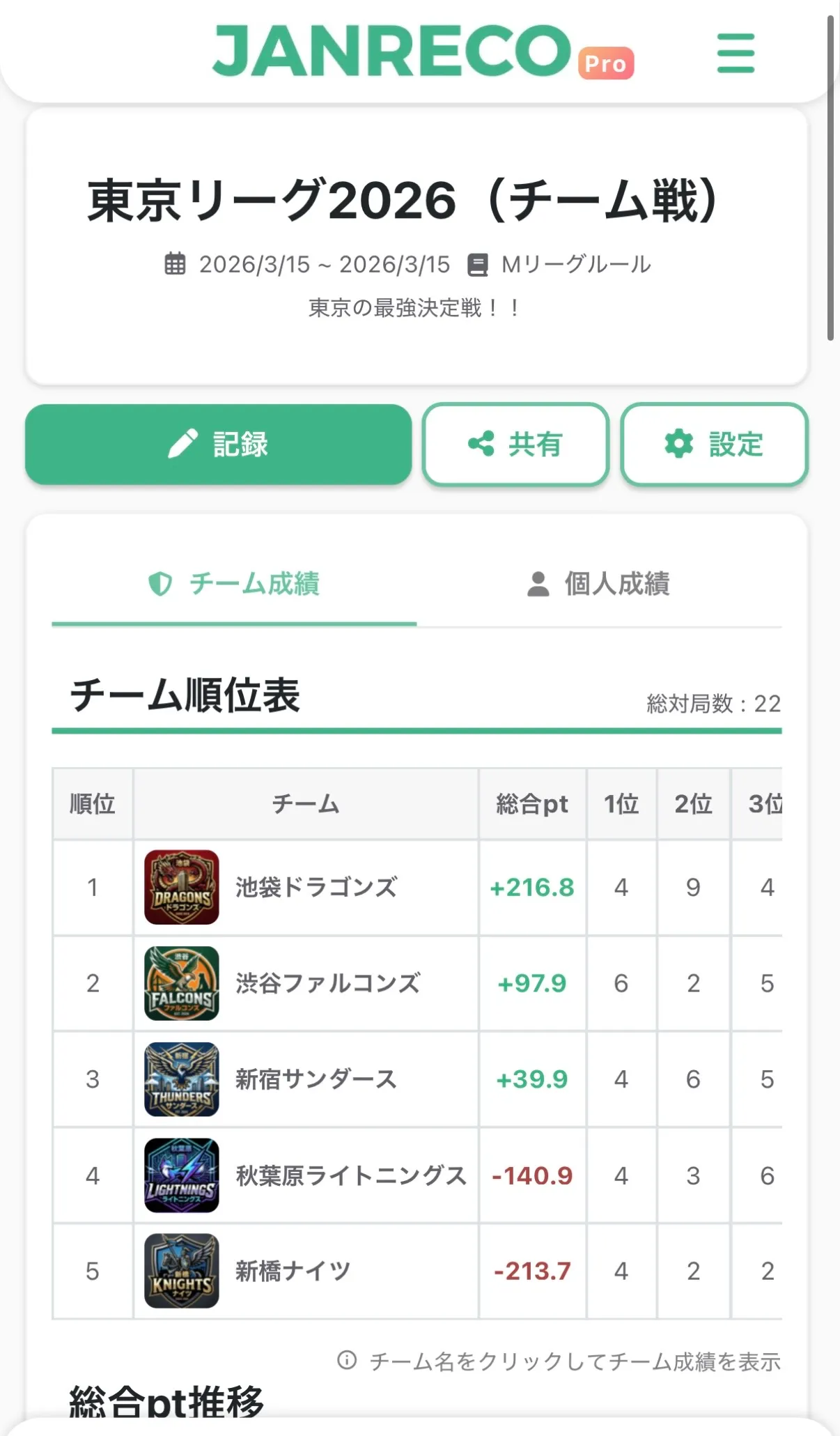
Step 5: View team stats
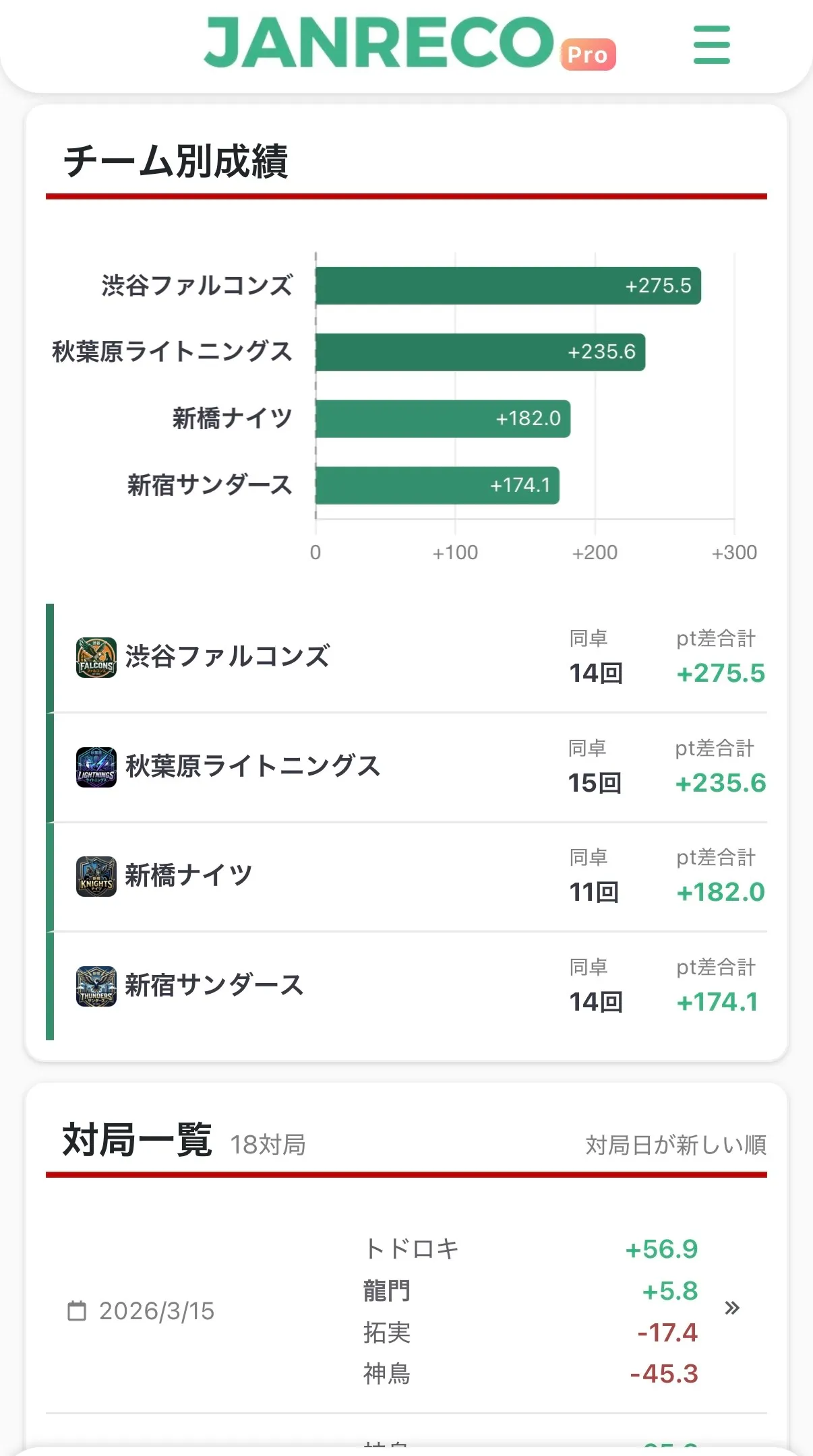
Open each team's stats page from the team standings on the league details page.
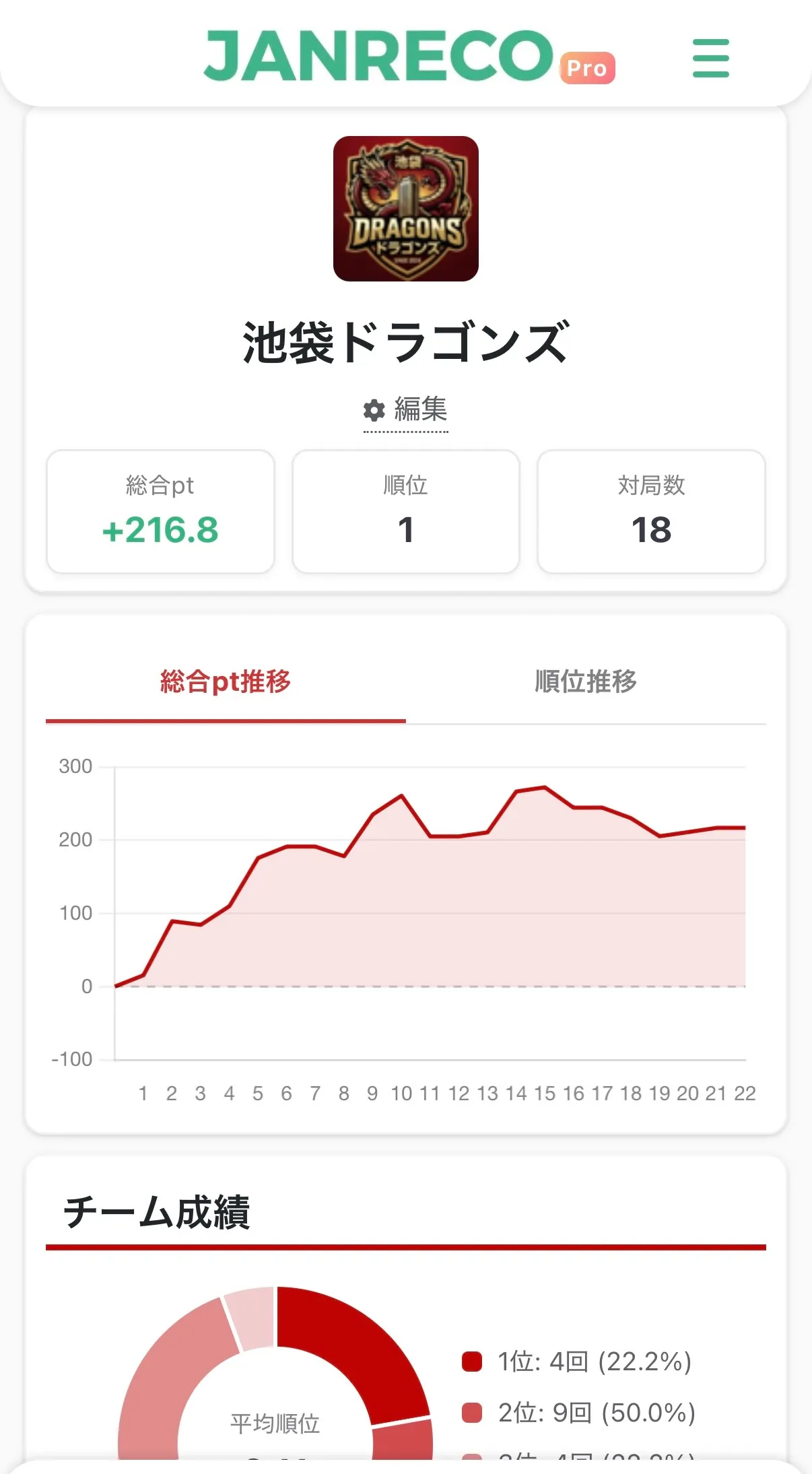
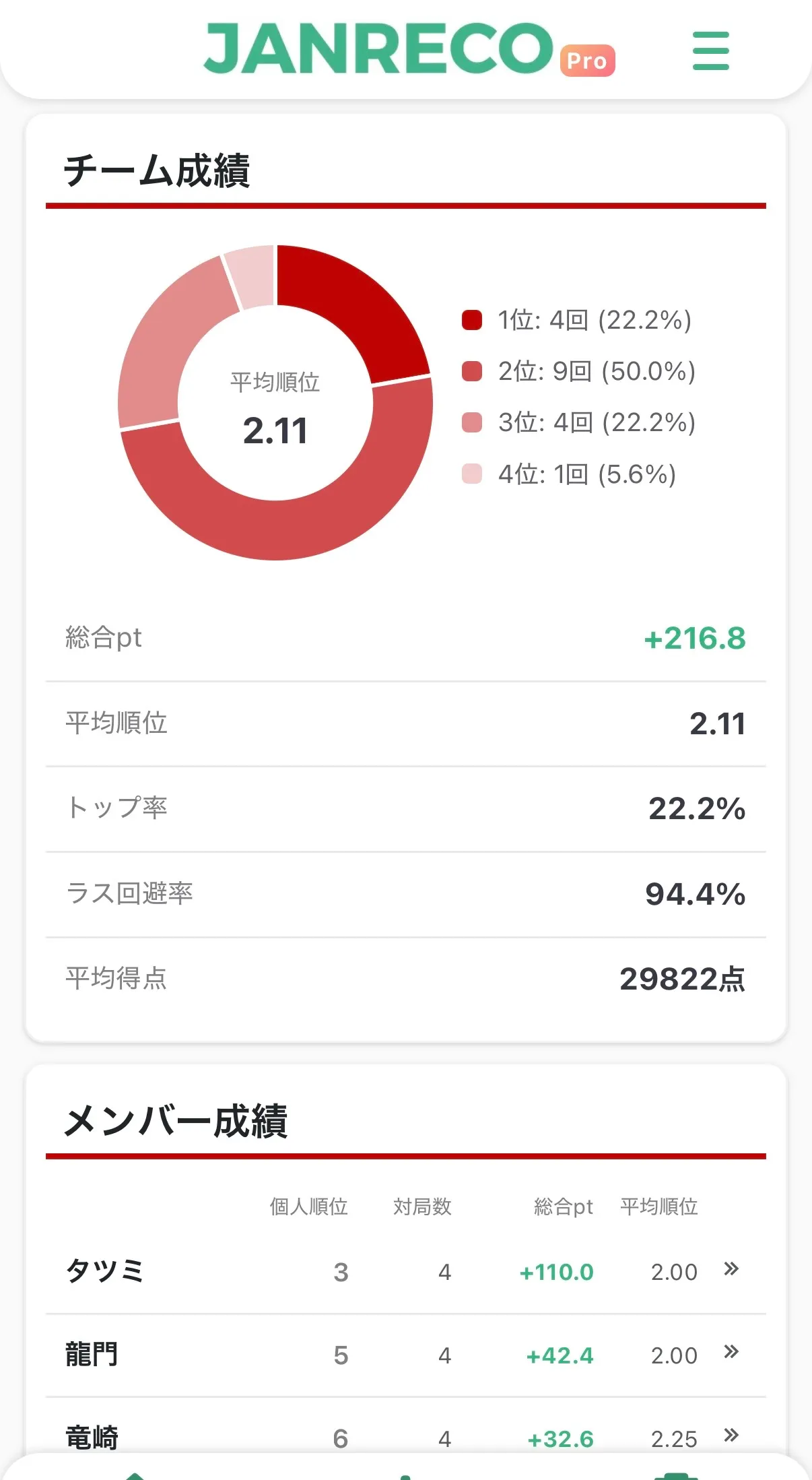
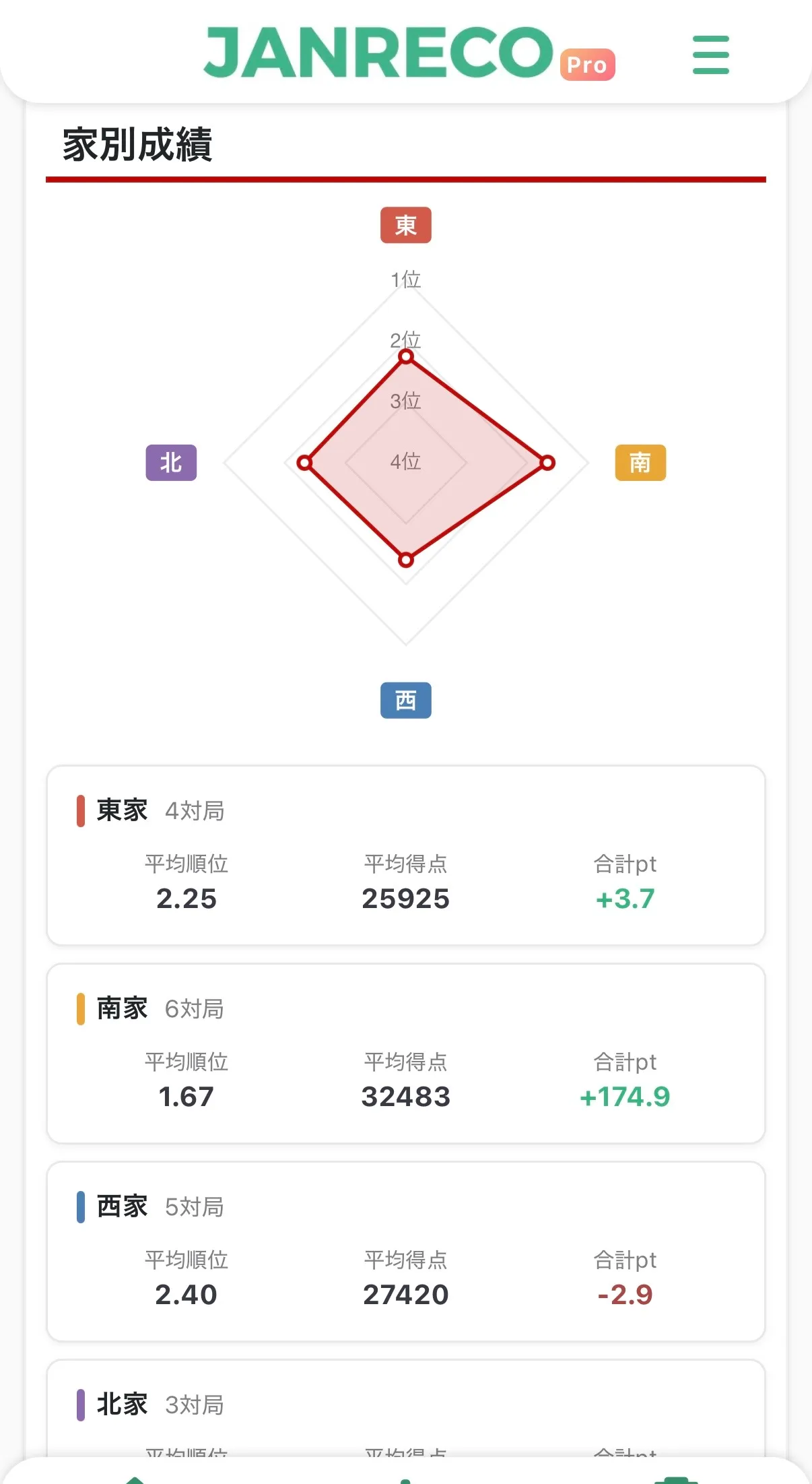
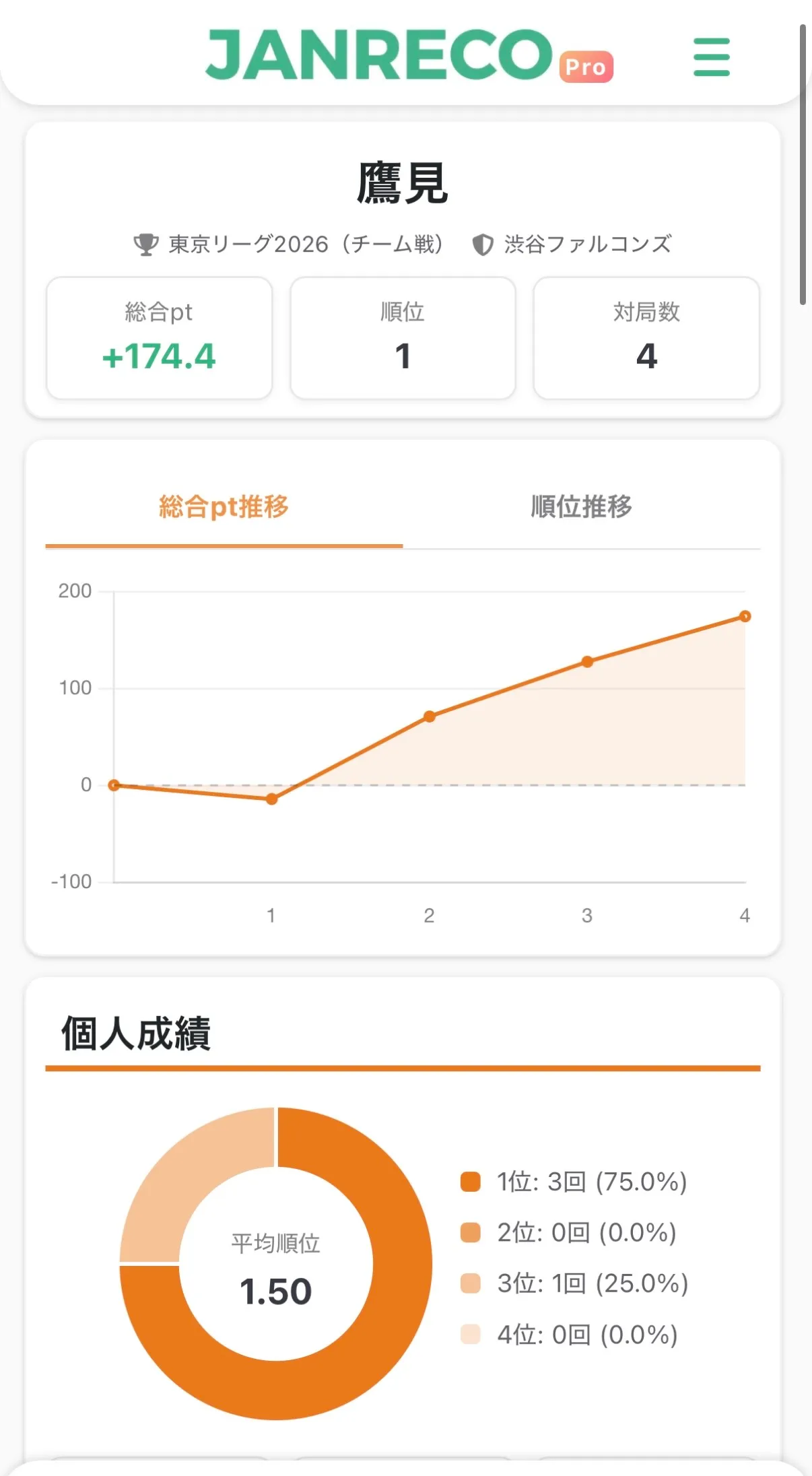
The team stats page shows pt and rank progression charts along with other statistics.
Individual stats pages also show the player's team name and color.
Availability
- All users can create Team leagues.
- Some stats sections are available only in leagues organized by a Pro subscriber.
| Section | Free plan organizer | Pro plan organizer |
|---|---|---|
| Seat stats | × | ⚪︎ |
| Yakuman list | × | ⚪︎ |
| Head-to-head results (individual) | × | ⚪︎ |

Contact us
If you have any questions, please contact us below.
👉 Contact form
Thank you for using Janreco.